

Fax
The Dropbox Fax API sends outbound faxes, receives inbound faxes, and manages the fax lines those faxes use. Fax endpoints are part of the Dropbox Sign API at https://api.hellosign.com/v3.
To send faxes or purchase fax lines, contact support to upgrade to the Fax API plan: Submit a Ticket.
Authentication
Fax endpoints use the same API key authentication as the rest of the Dropbox Sign API. Pass the API key as the username of an HTTP Basic request and leave the password empty. See Authentication for key management and rotation.
Send Fax accepts test_mode. Set it to true to create a fax without delivering it to the recipient. You can review Fax API requests, including test-mode requests, on the API Dashboard.
Send a fax
Send Fax creates a fax and starts transmission. The request requires a recipient, which is a phone number in E.164 format or an email address, and the documents to fax. Provide the documents with either files or file_urls:
files— documents to upload and faxfile_urls— URLs Dropbox Fax downloads and faxes
Use one of those fields on a request. Either field can include multiple documents.
Optional fields set the fax title, the sending fax number (sender, used when recipient is a phone number), and cover page text (cover_page_to, cover_page_from, and cover_page_message).
A 200 response means the fax was accepted. It does not mean the fax was delivered. Delivery depends on the recipient line, and the transmission status_code changes after the response returns. Use Get Fax or a callback to learn the outcome.
The response fax object includes:
Check status
Get Fax returns one fax by fax_id. List Faxes returns the faxes your account can access. List results are paginated with page (default 1) and page_size (default 20, maximum 100).
Each transmission status_code is one of:
The Fax reference also documents on_hold when the account is unconfirmed, and error_file when the submitted file cannot be processed. An unconfirmed account is also reported by the fax_on_hold callback.
Download and delete
Download Fax Files returns the documents for a fax_id. Delete Fax removes that fax.
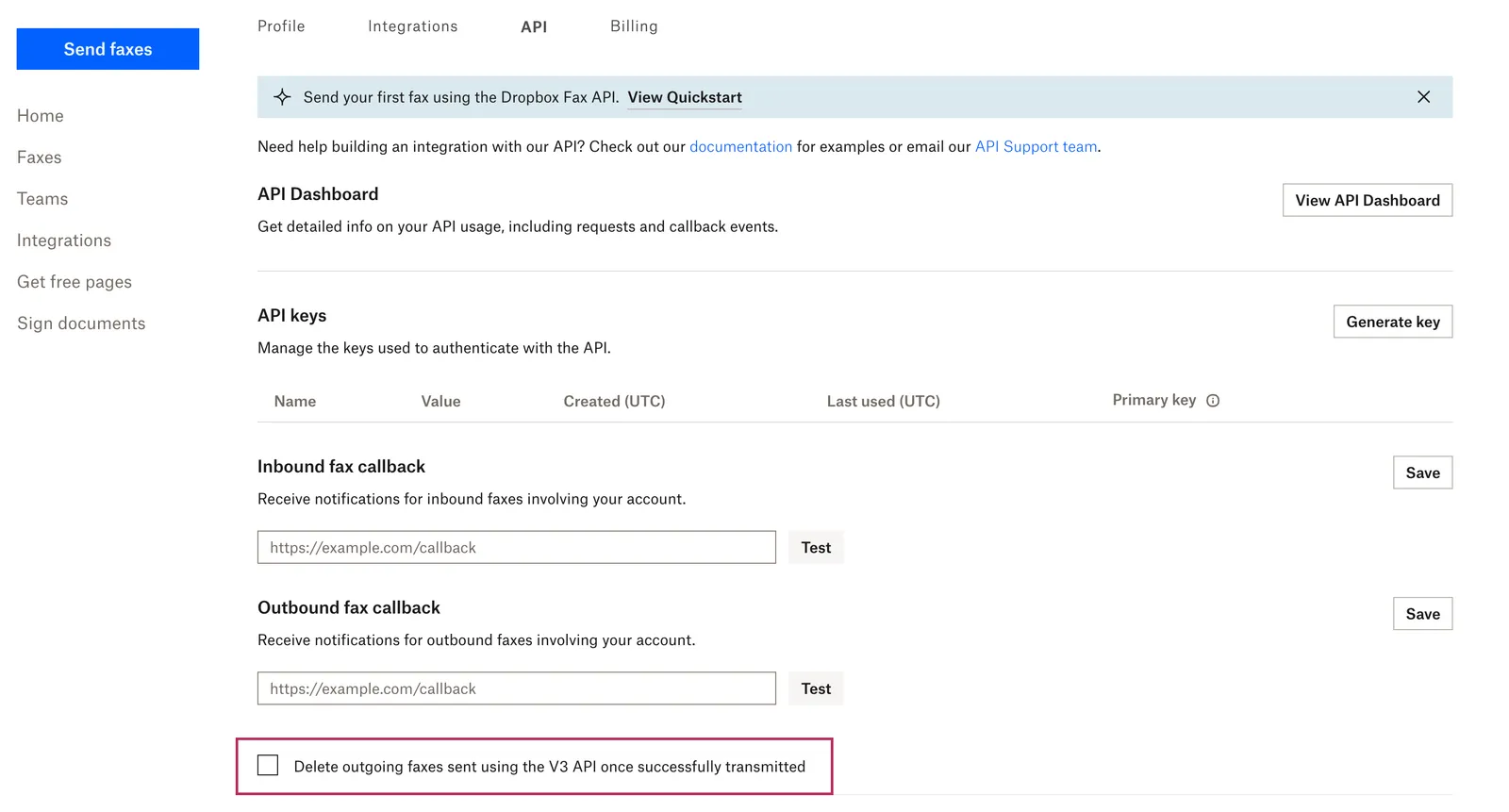
Whether completed faxes are kept can be turned on or off from the Fax API Settings page.
Callbacks
Fax events are POSTed to the callback URL configured on the Fax API Settings page. The payload and the required response match Dropbox Sign events: respond with HTTP 200 and a body of Hello API Event Received.
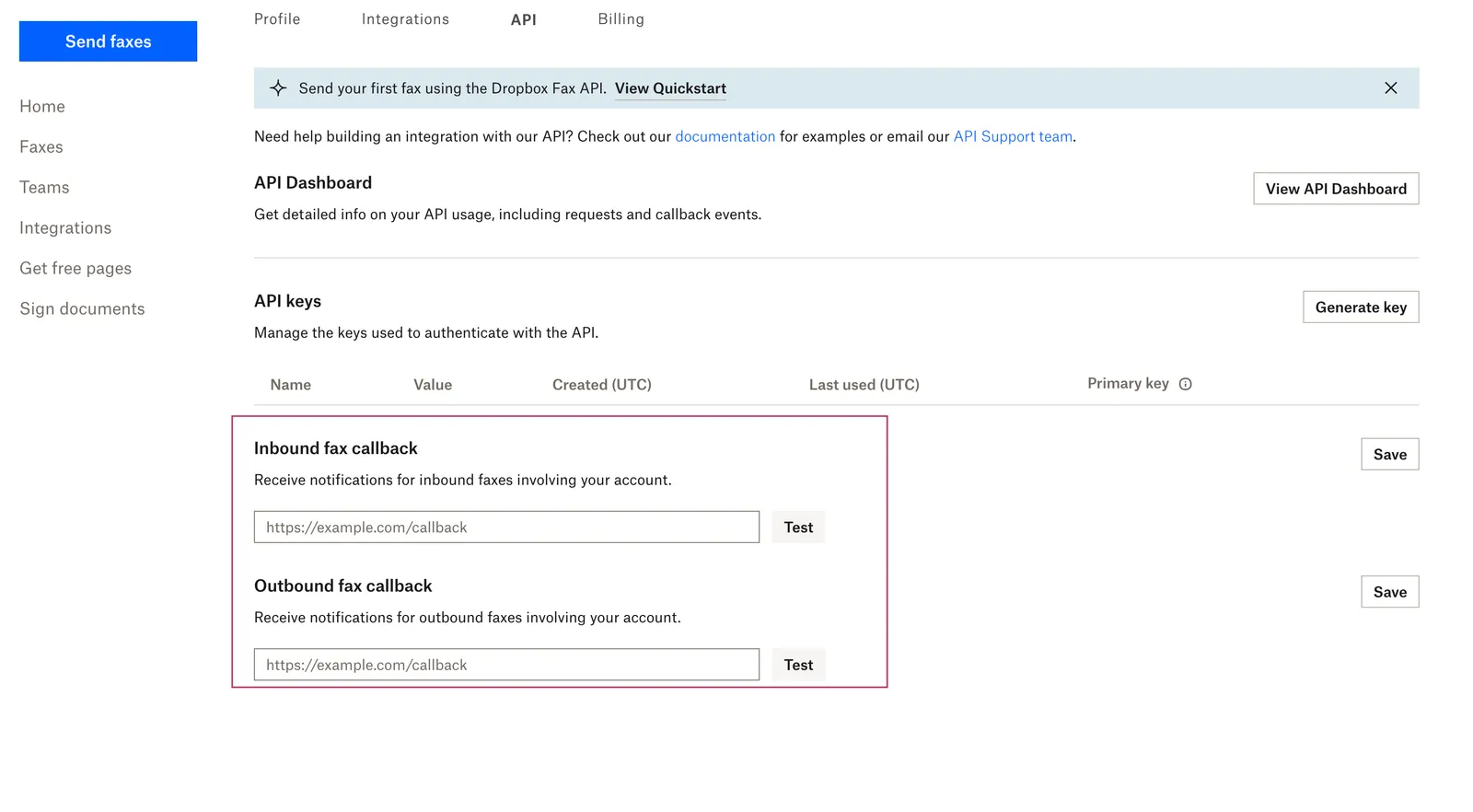
Schemas and examples for these events are in the Account Callback and App Callback references. Event names are also listed in the Events overview.
A fax_sent callback uses this shape:
Verify event.event_hash the same way as other Dropbox Sign events. The steps are in Event hash verification.
Fax lines
A fax line is a phone number that can send and receive faxes. Purchase and manage lines with the Fax Line endpoints.
- Call Get Available Area Codes with a
countryofUS,CA, orUK. Filter further withstate(United States),province(Canada), orcity. - Call Purchase Fax Line with that
area_codeandcountry.cityandaccount_idare optional.account_idassigns the new line to a specific account. - Use the returned number with the other fax line endpoints.
List Fax Lines accepts page, page_size, account_id, and show_team_lines. Set show_team_lines to include lines that belong to other members of your team.
Endpoint index
Field-level request and response schemas are on the Fax and Fax Line reference pages.