

Updated Signer Experience
Updated Signer Experience
We’re excited to introduce the updated Dropbox Sign signer experience, now featuring a modernized design and enhanced functionality. The new signer experience makes updates to our Signer App, which powers signature requests generated through your Dropbox Sign API calls and your Dropbox Sign account user interface. With this release, we’ve improved accessibility, streamlined navigation, and delivered a cleaner look and feel — making it easier than ever for signers to send and complete requests through both mobile and web experiences.
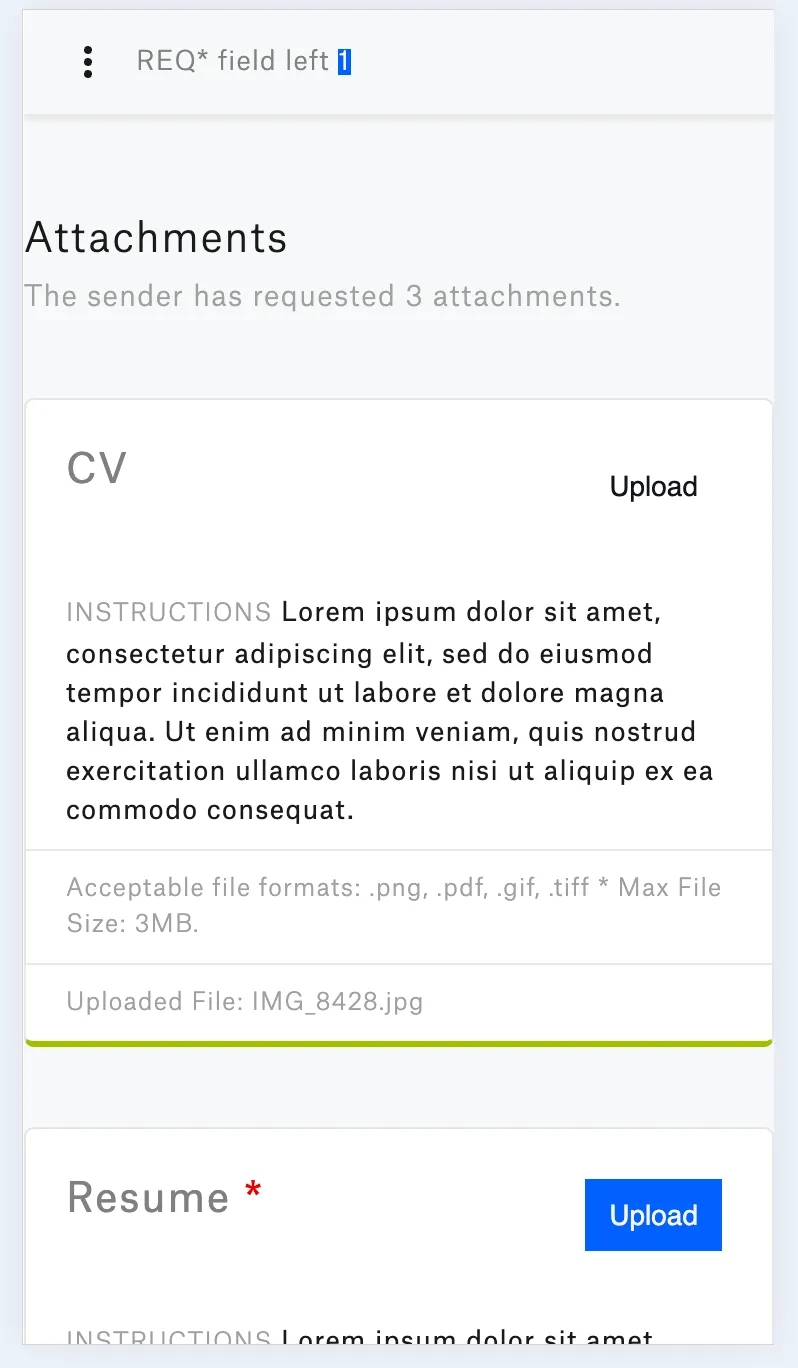
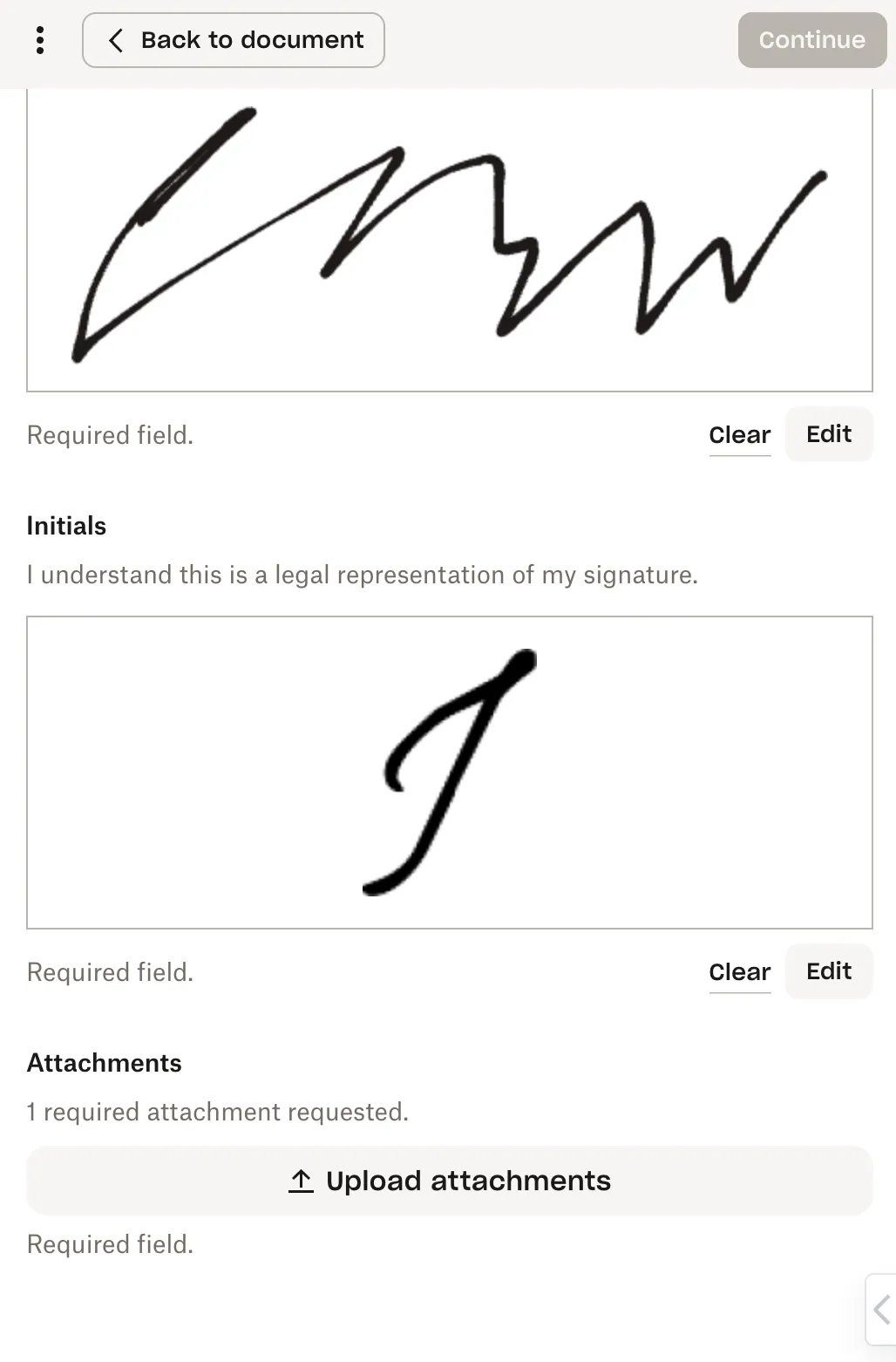
This update also introduces Mobile Form, a new signing option that presents all required signature fields in a clear, structured order. Mobile Form simplifies the signing process, helping signers complete documents more quickly and easily on any device. At any time, signers can switch between Mobile Form and the full document view, giving them more flexibility and control over their signing experience.
What’s Changed
Please see the changes we will introduce in our embedded signing and non-embedded flows in detail below:
Mobile Form: Prep and Send for Signature
| Update Details | Current Design | Updated Design |
|---|---|---|
| New “Mobile Form” section allowing requesters to enable the Mobile Form feature. | 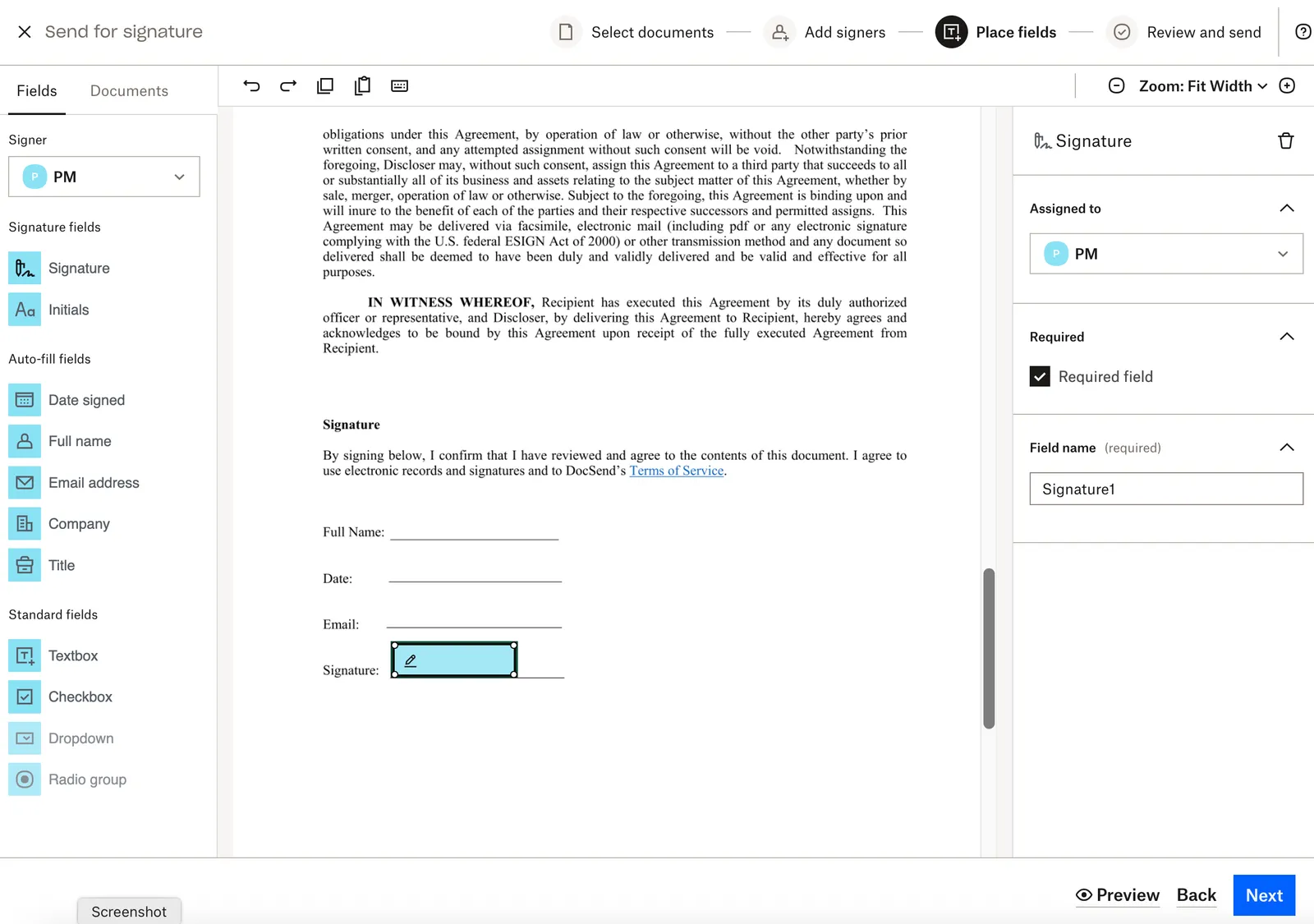 | 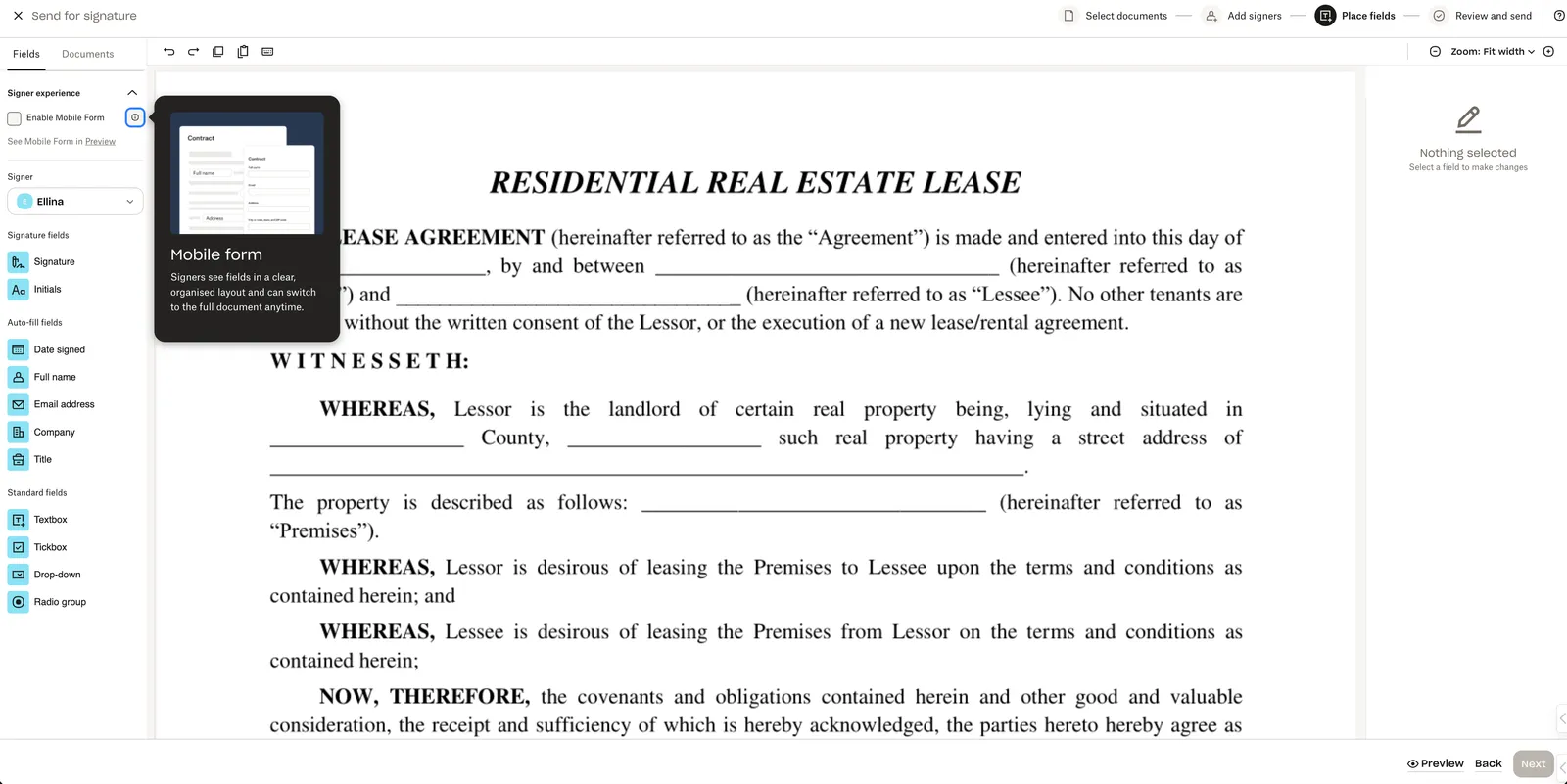 |
| When Mobile Form is enabled (via checkbox) and the requester adds a field from the Standard Fields group to the document, an interactive popover with an active cursor appears, prompting the user to define a custom field name. Important Notes:
| | 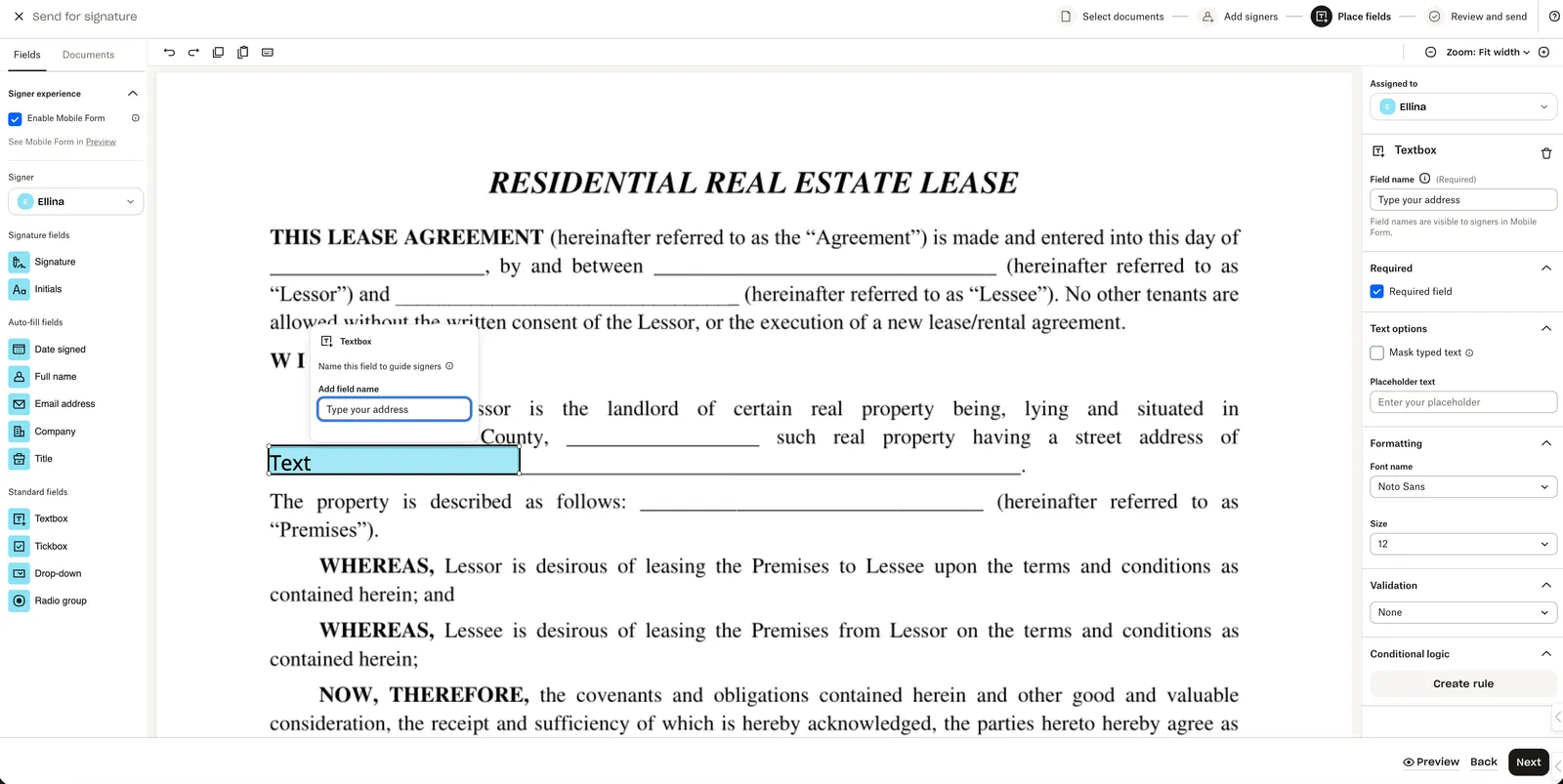 |
| Fields added before the Mobile Form is enabled from the Standard Fields group will be highlighted in red and must be given a name. If those fields were already named, their existing names remain unchanged. | 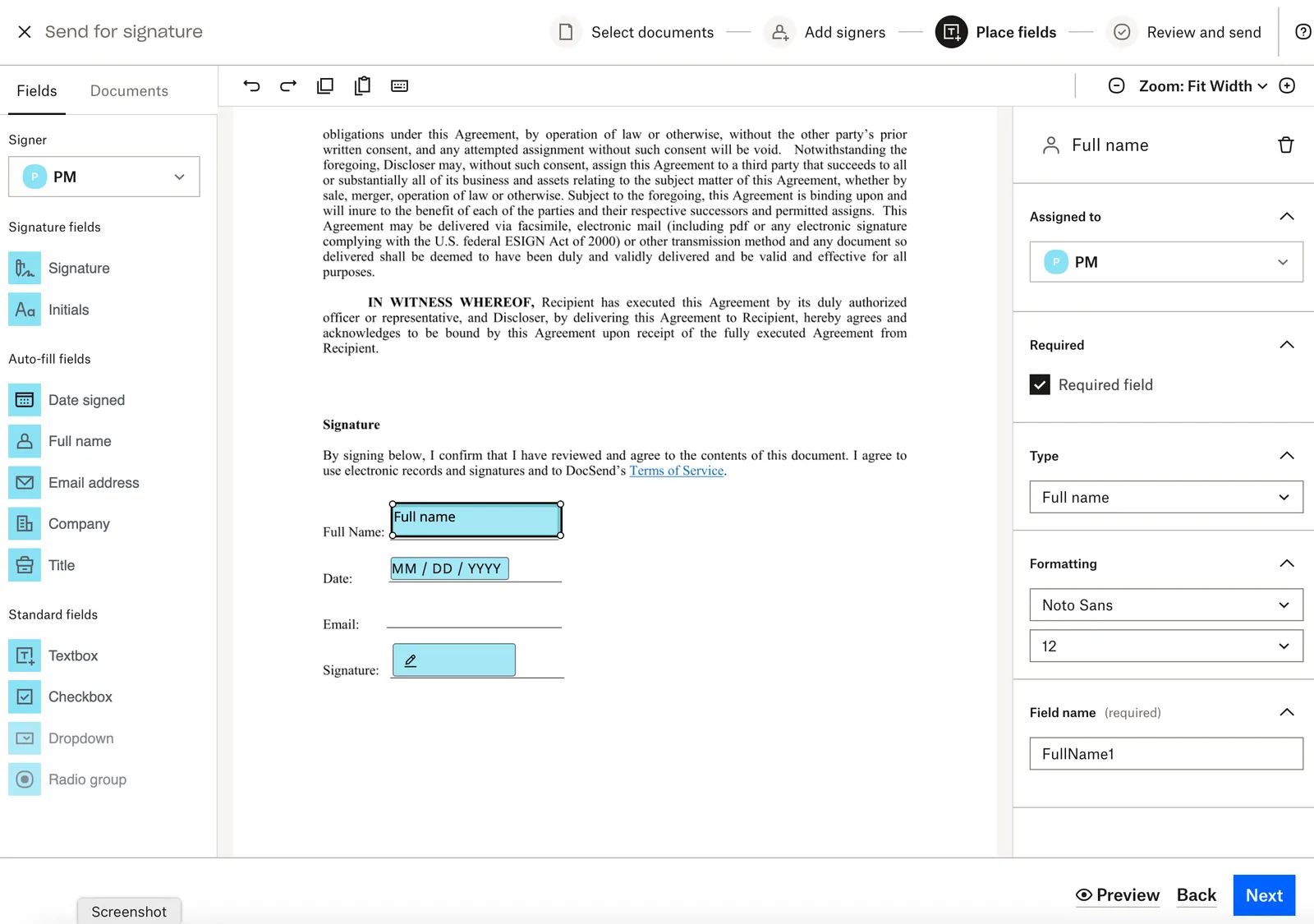 | 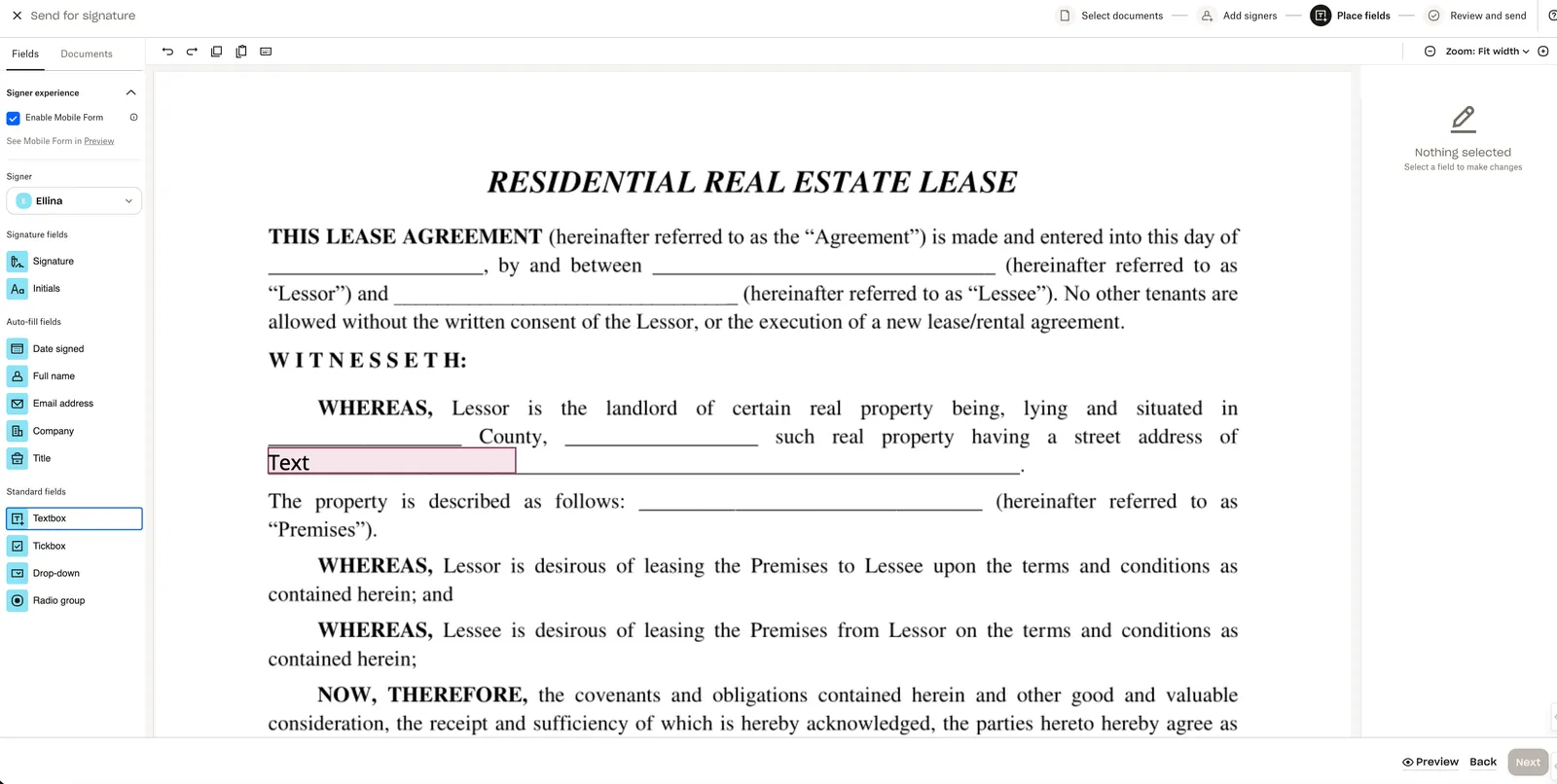 |
| New “Preview Mode” lets the requester toggle between the Desktop and Form views. | 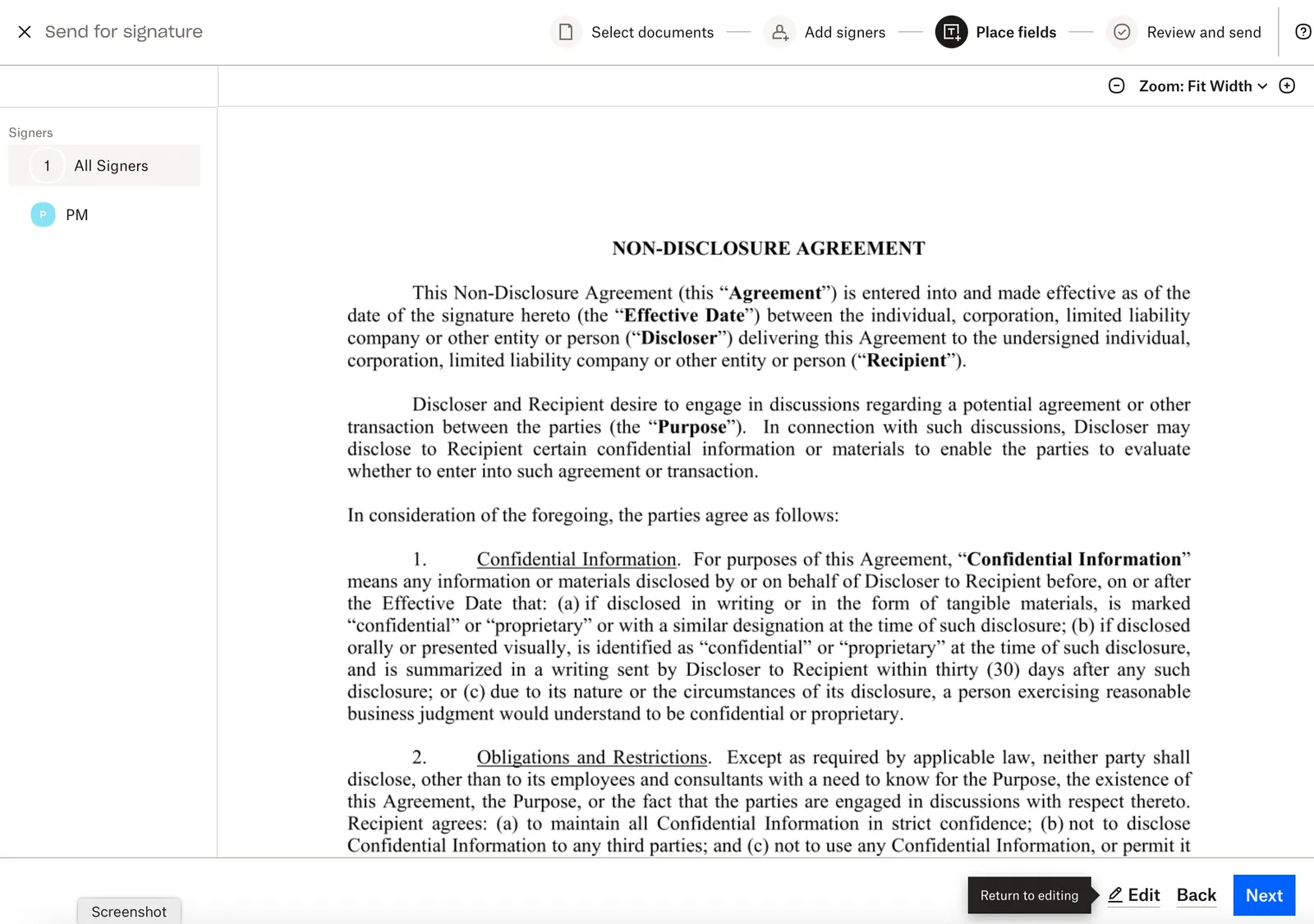 | 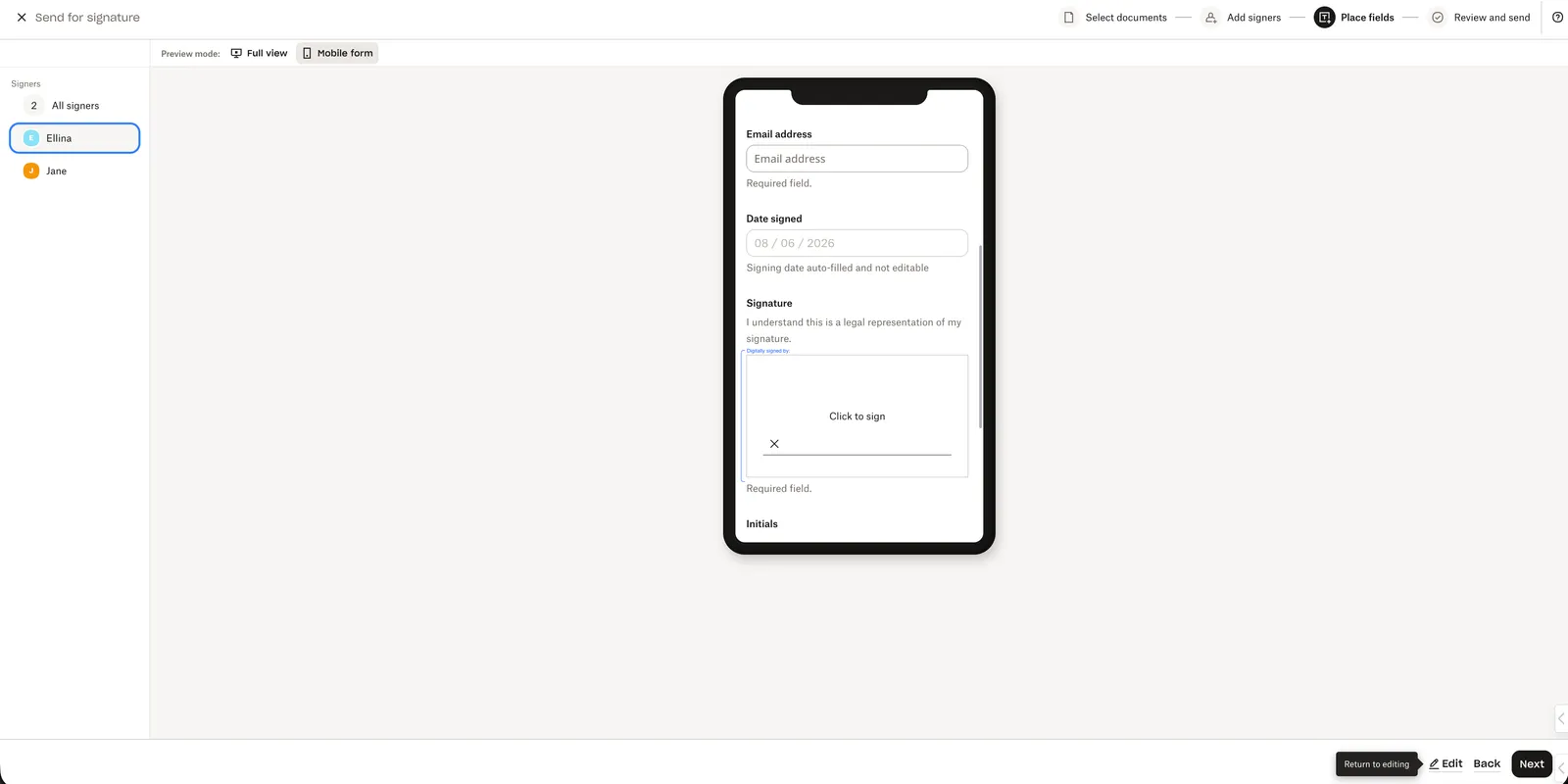 |
Mobile Form: Signing
| Update Details | Current Design | Updated Design |
|---|---|---|
| The Get Started button has changed locations and is now in the top left corner. | 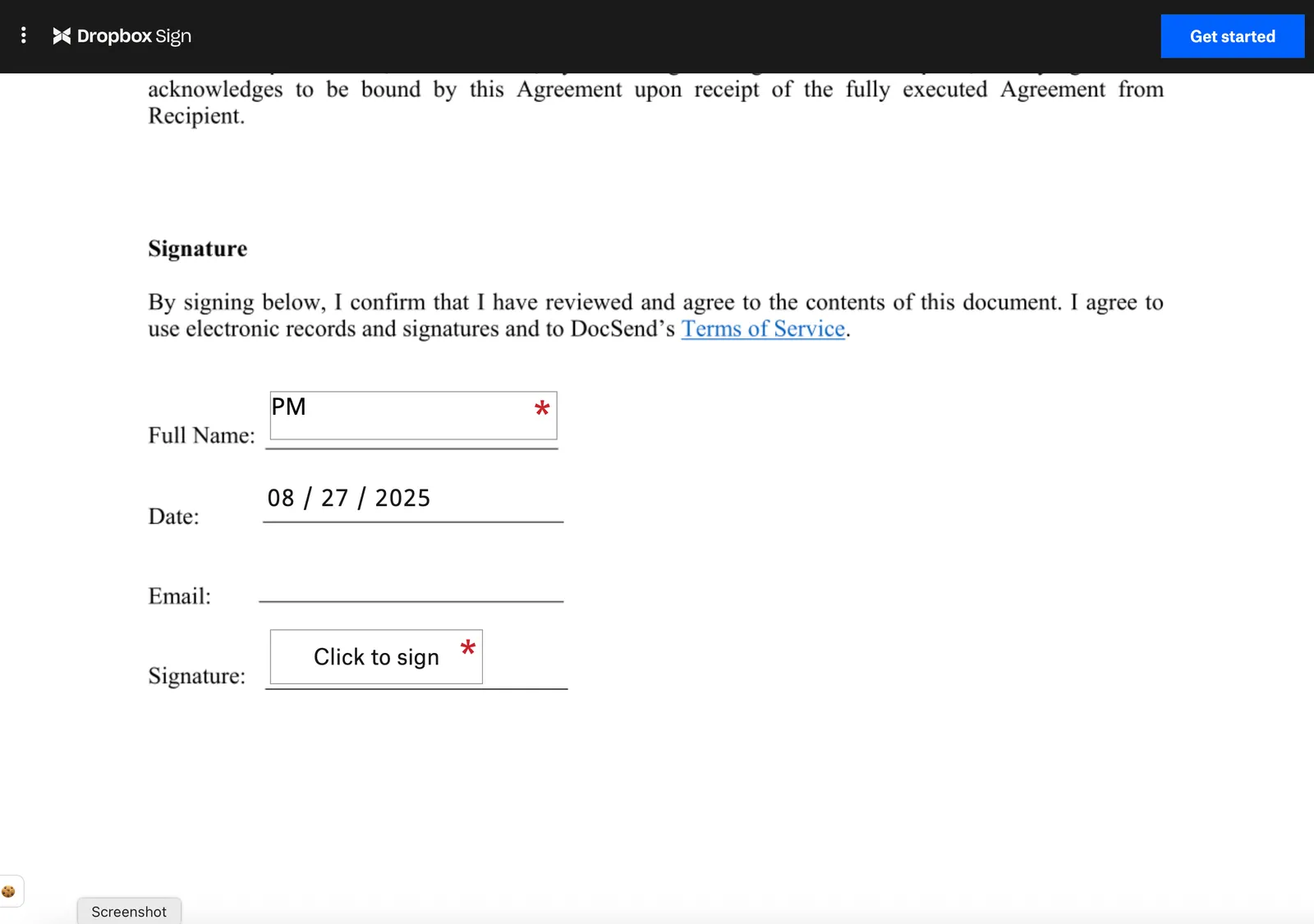 | 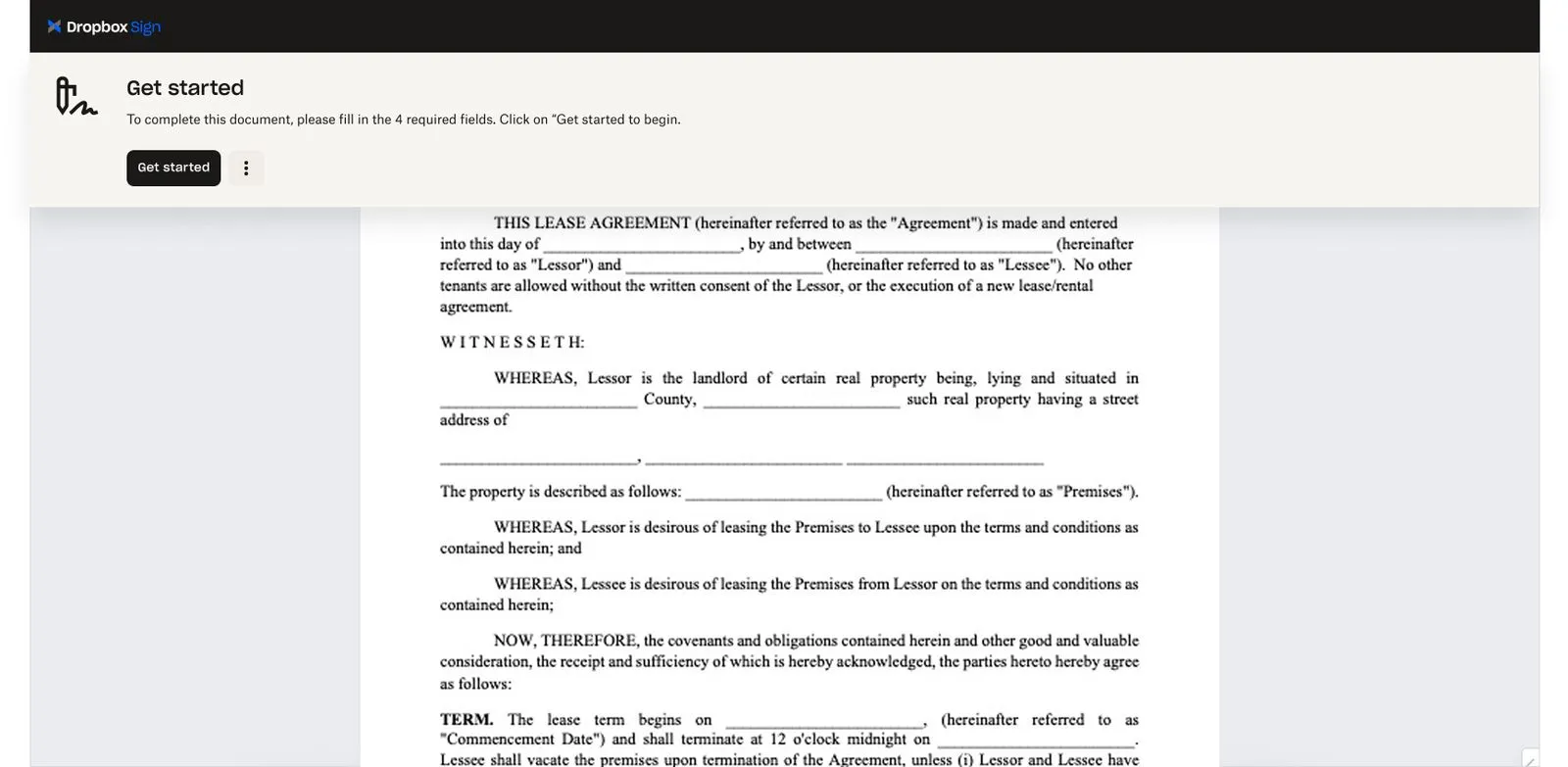 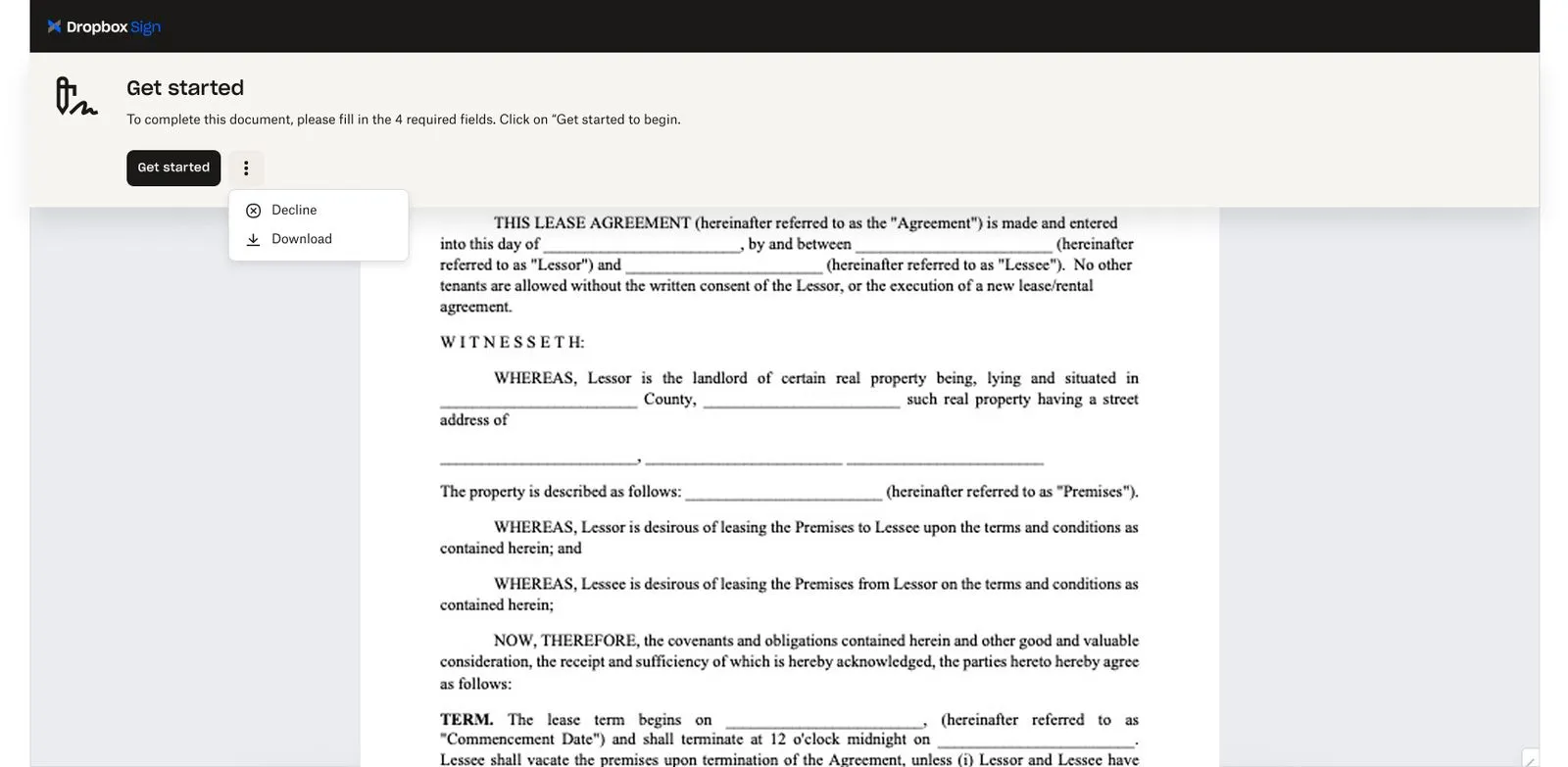 |
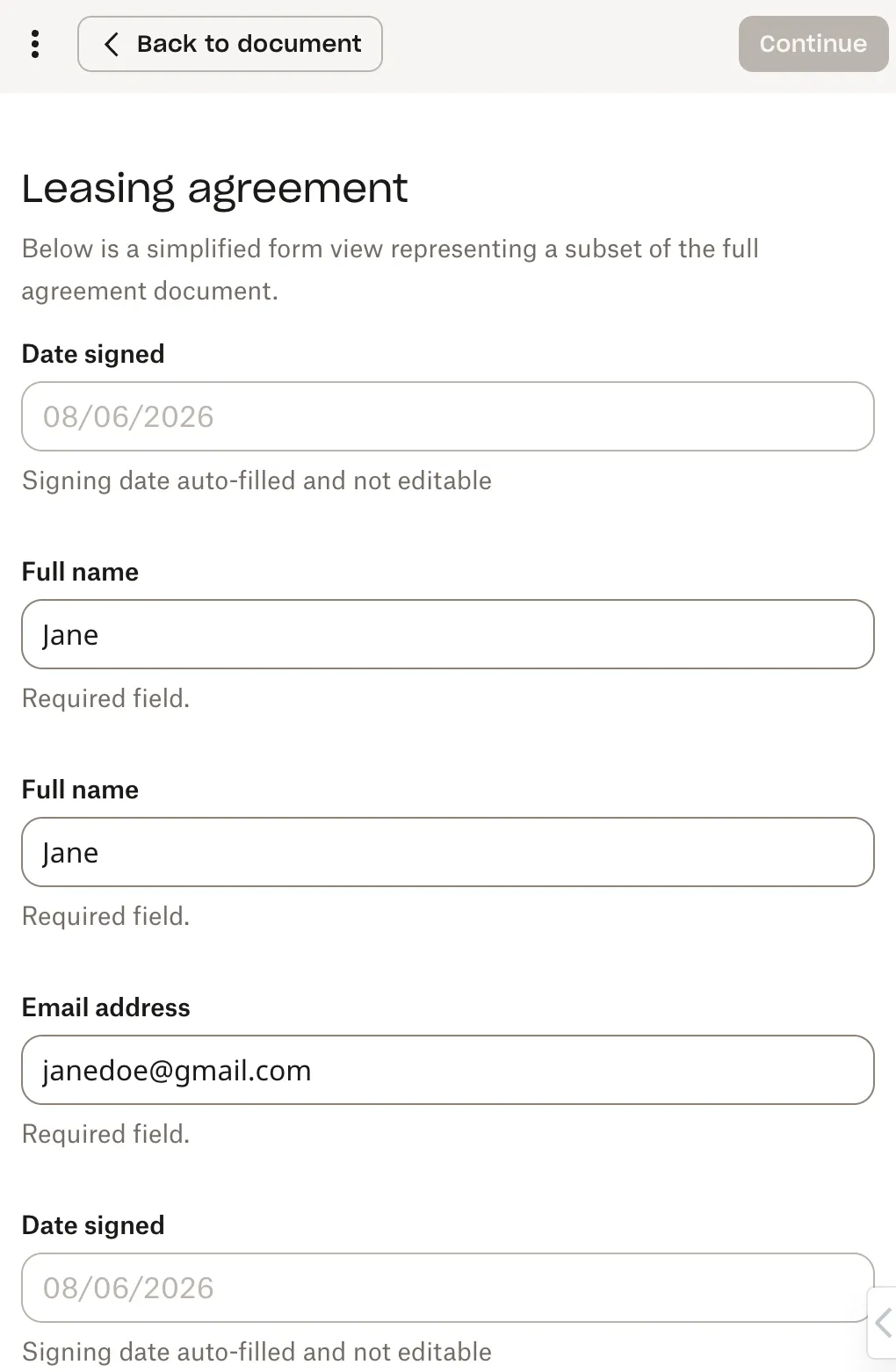
| Within the signing flow, a new Mobile Form toggle is displayed in the top-left corner if the requestor enabled the signature request for Mobile Form signing. | 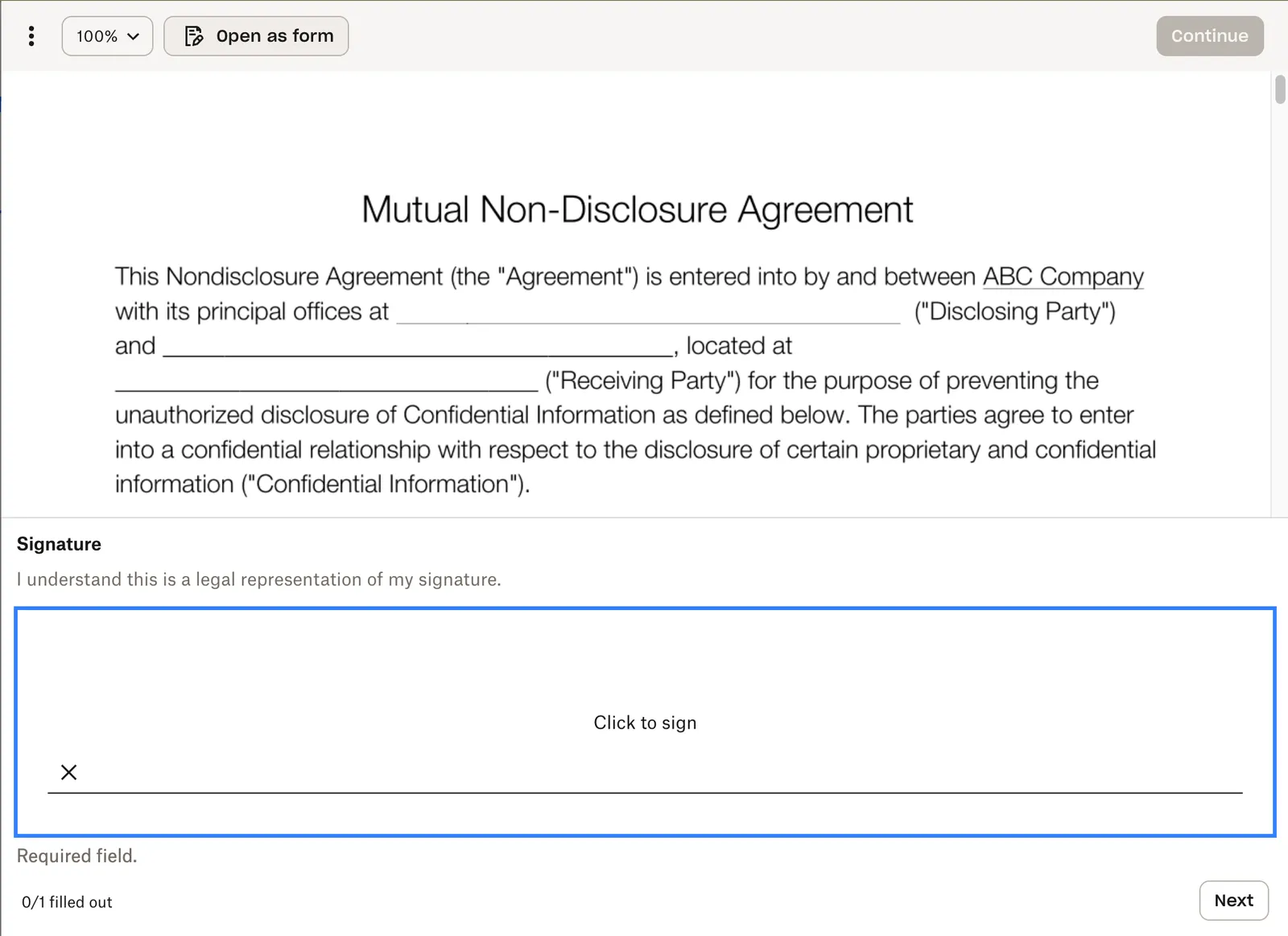 | |
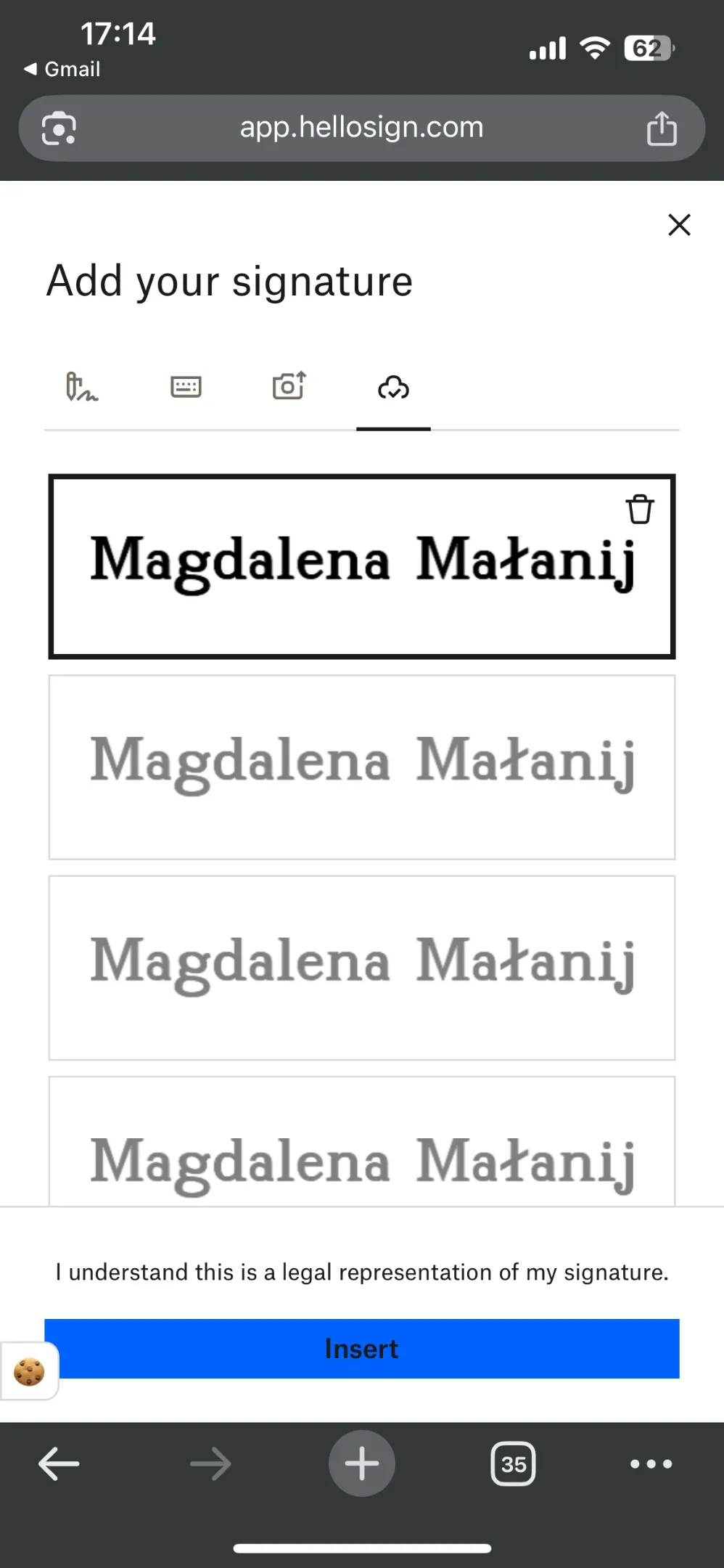
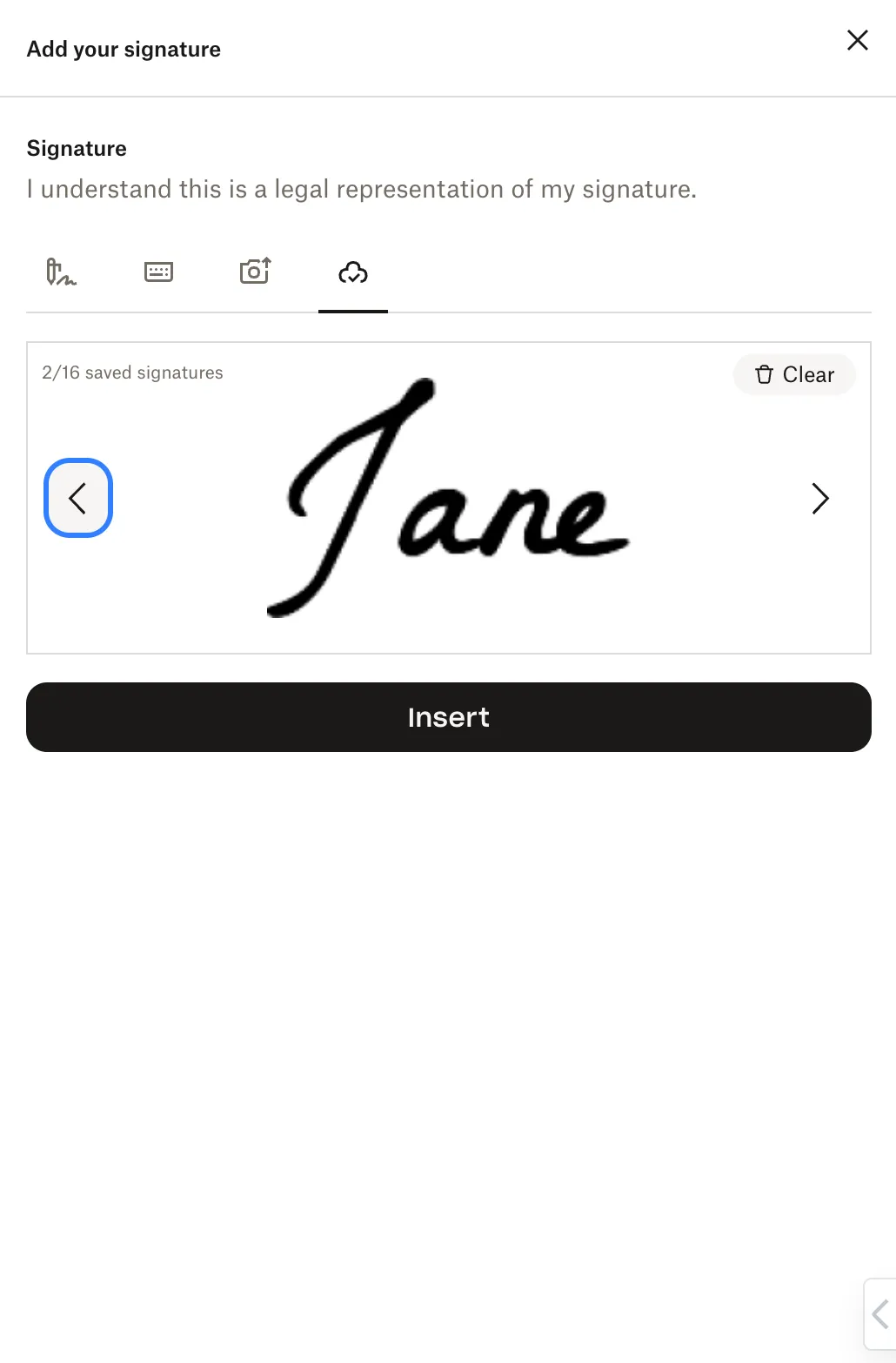
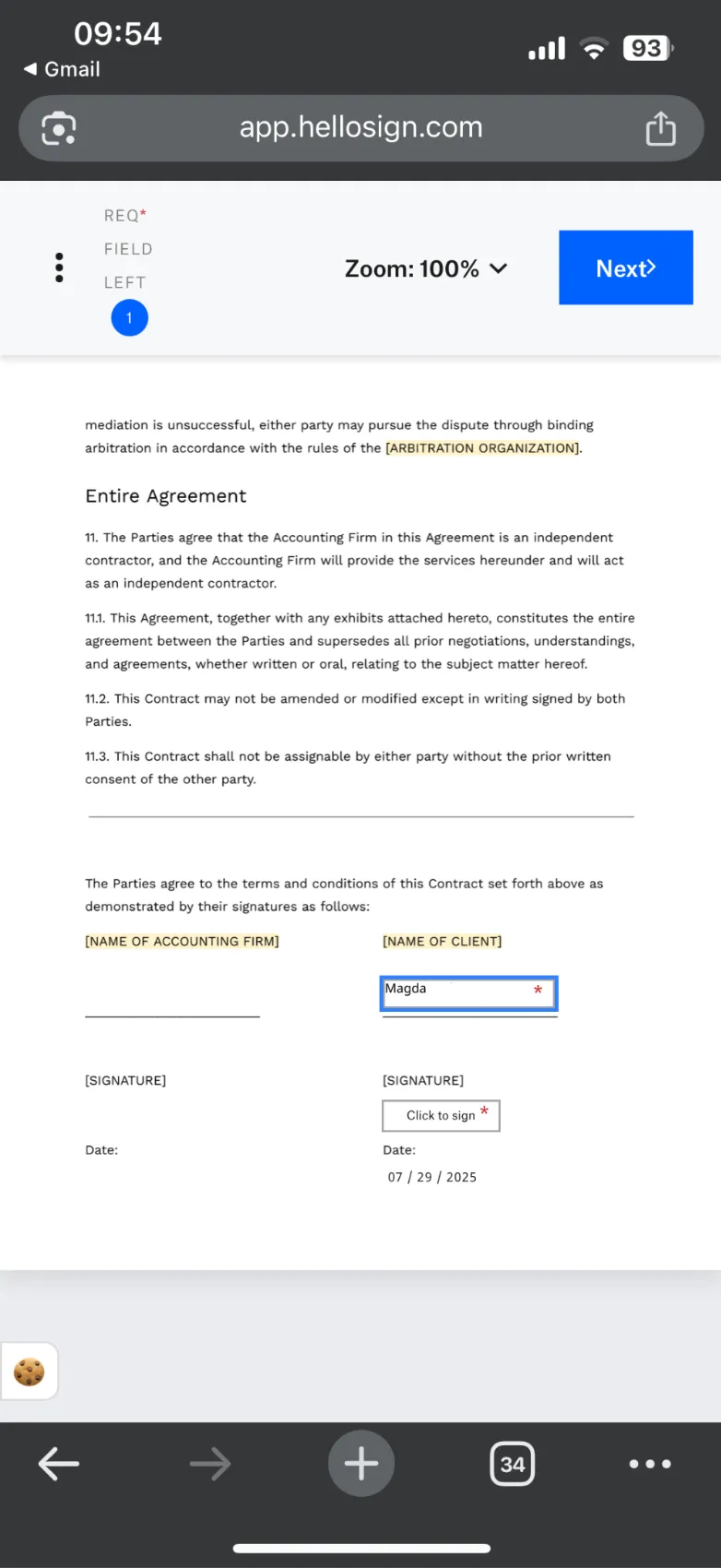
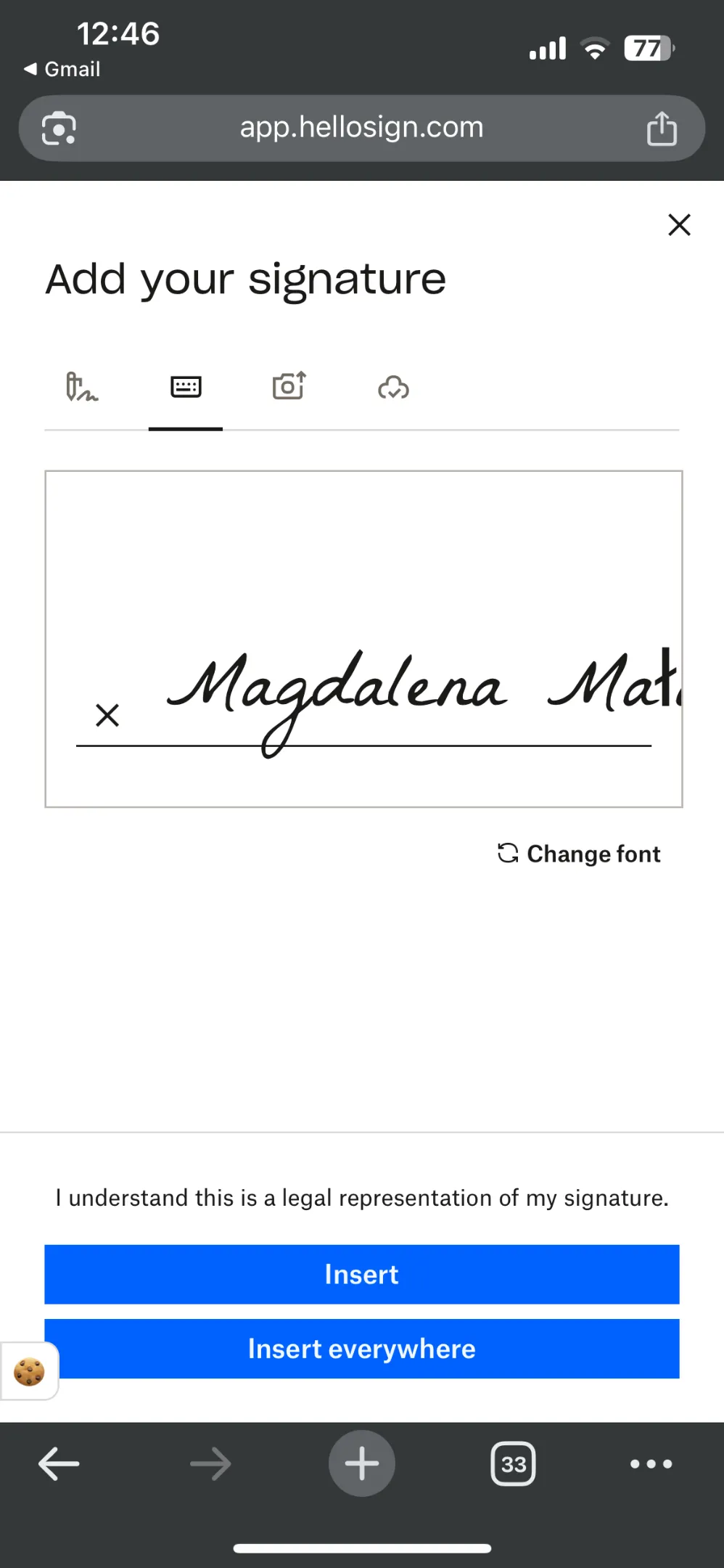
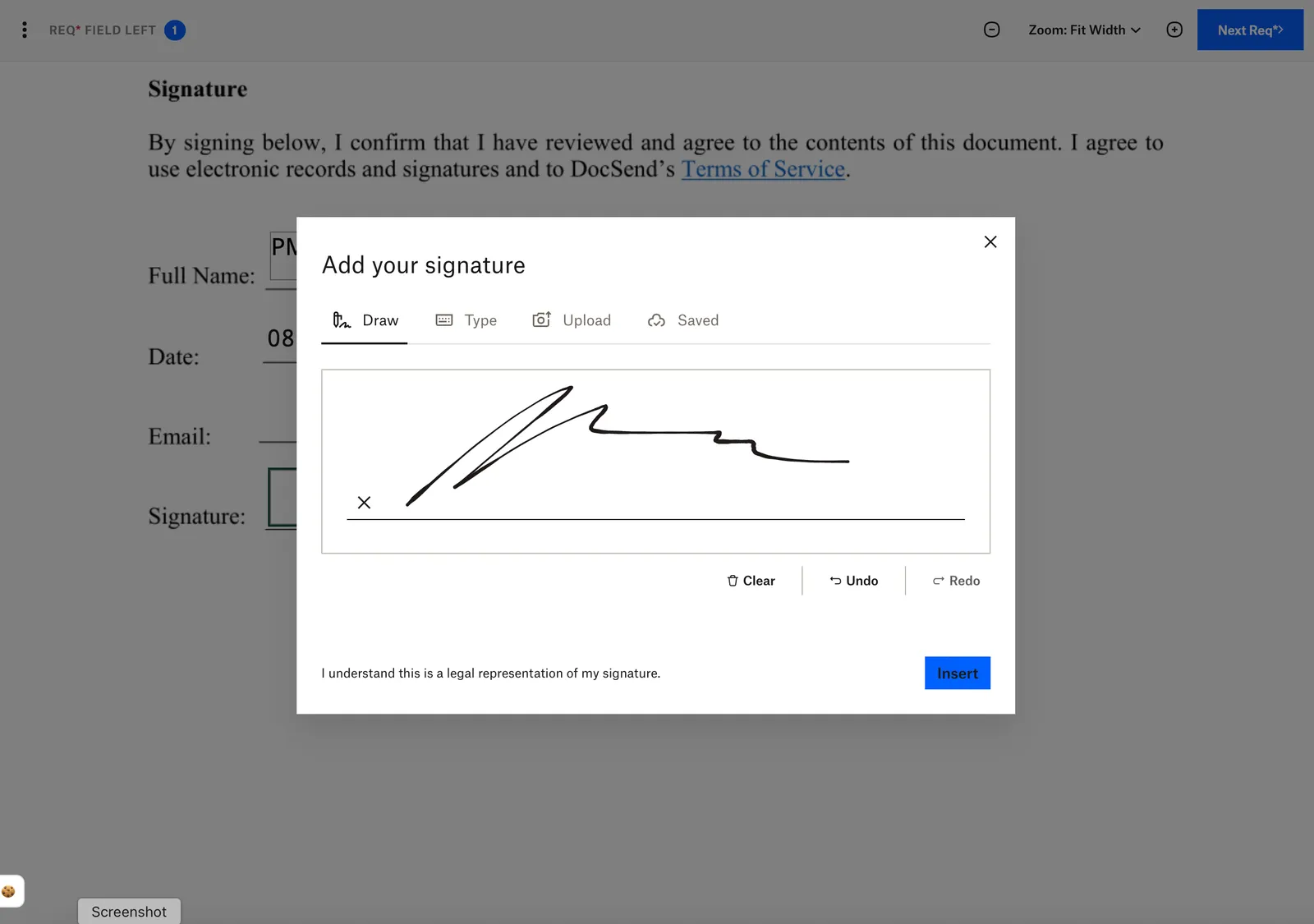
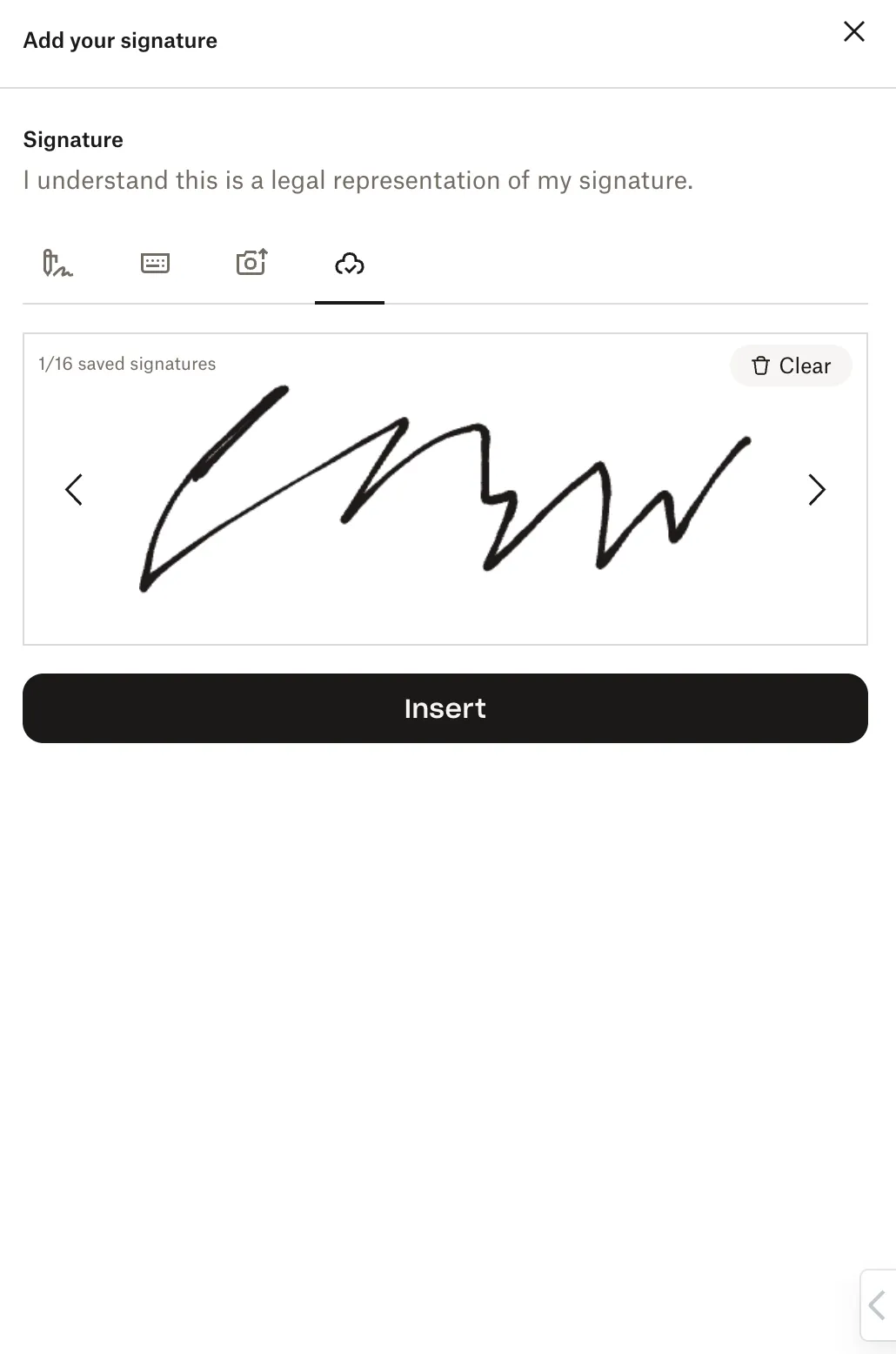
When the modal to add your signature is open there are 4 options to add signature available in tabs:
|  |  |
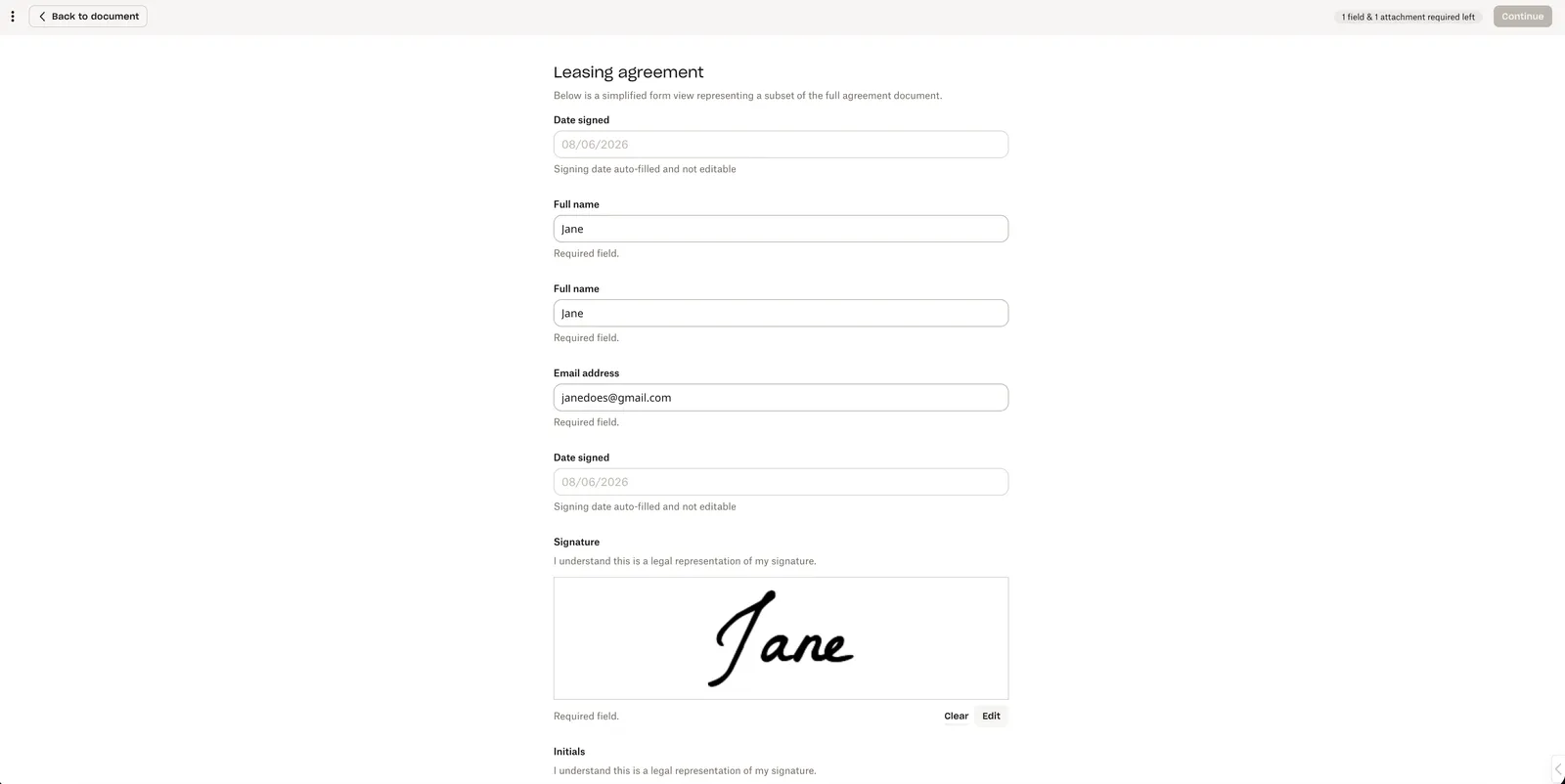
| The new Mobile Form displays all fields in a clear, organized layout. Important Notes:
|   | |
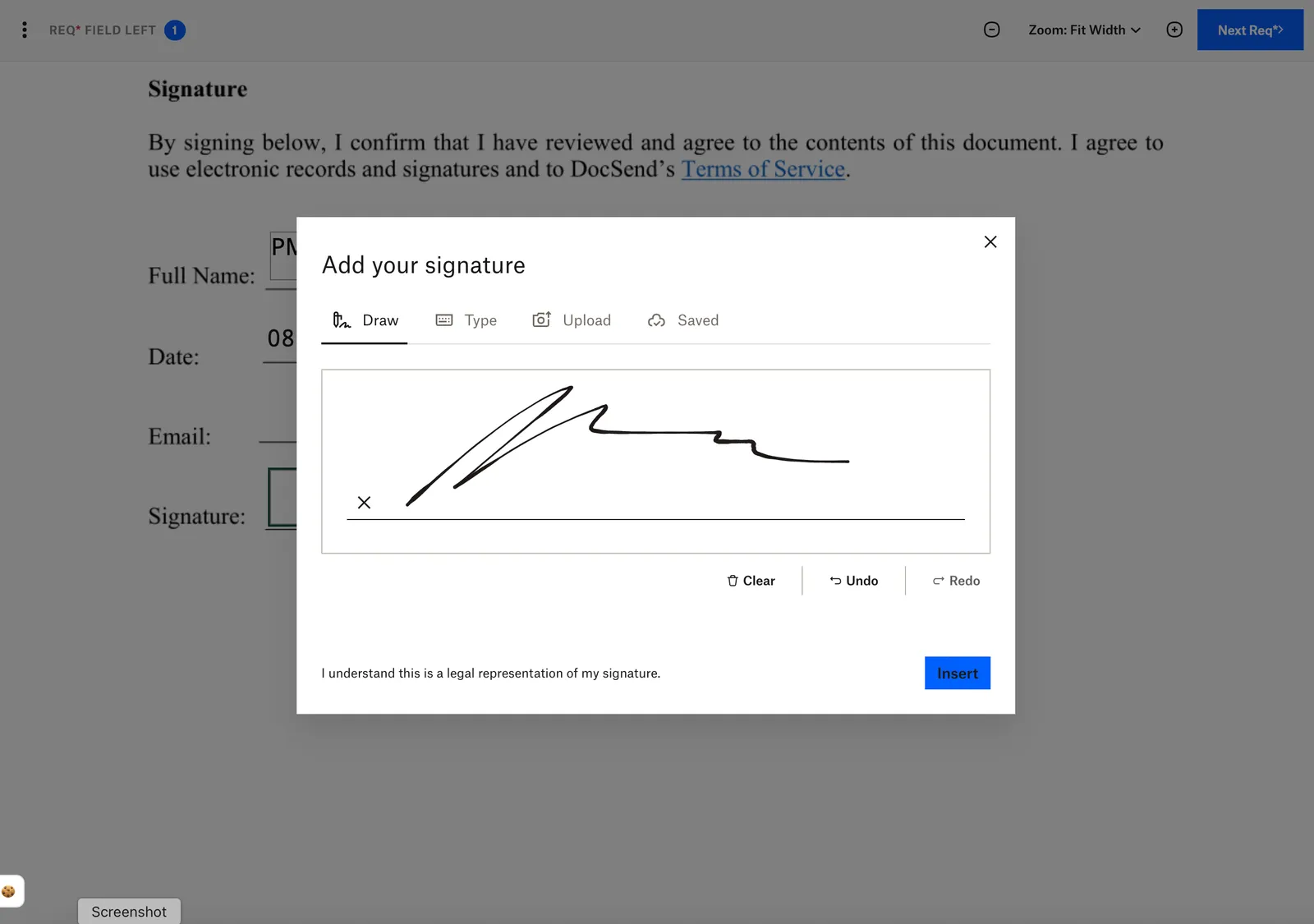
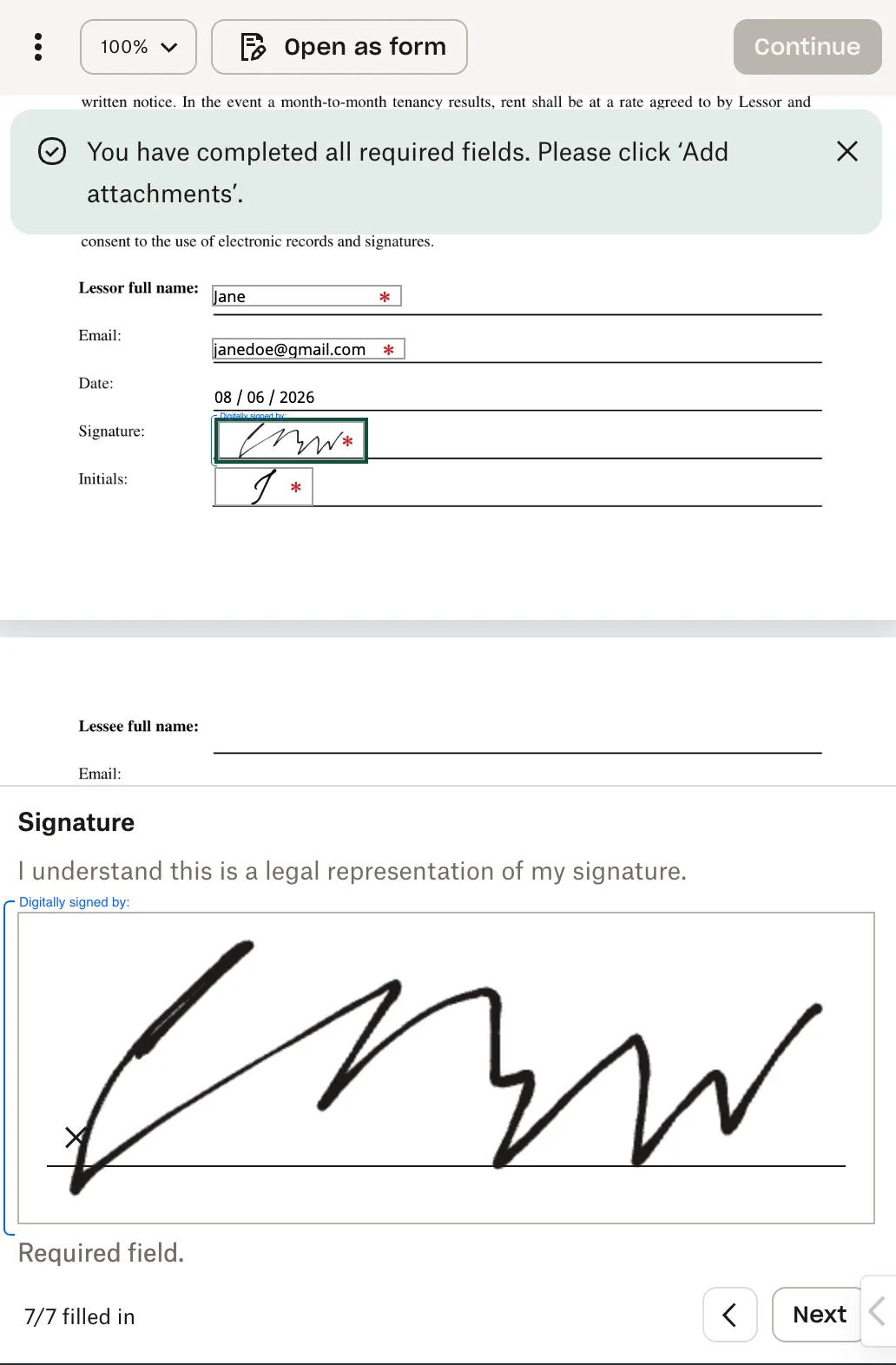
| With the new Mobile Form toggled, signature fields are active and a signature can be added by selecting “Insert” in the field or by clicking on “Fill all signature fields” to fill all the signature fields in the document. Important Notes:
|  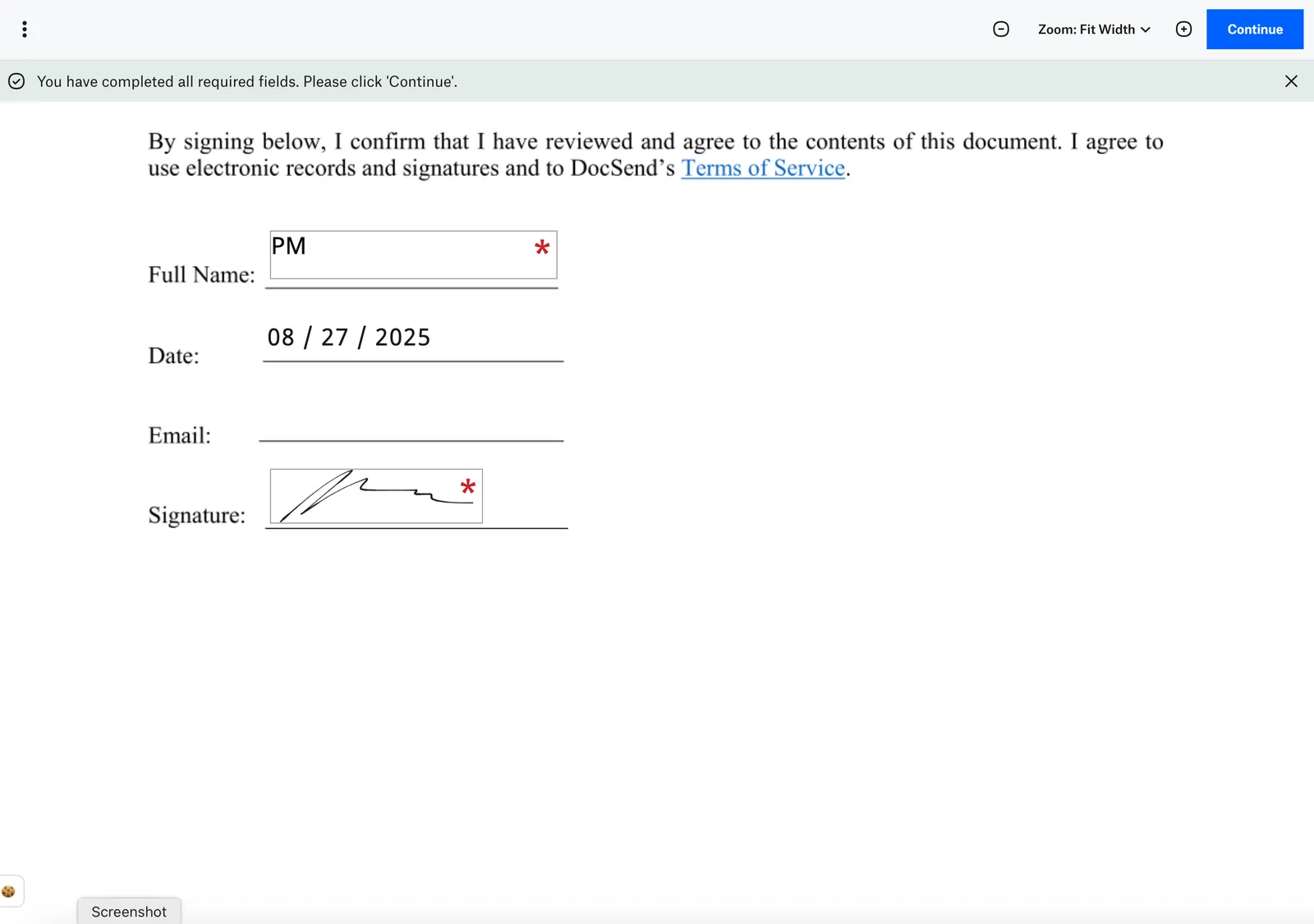 | 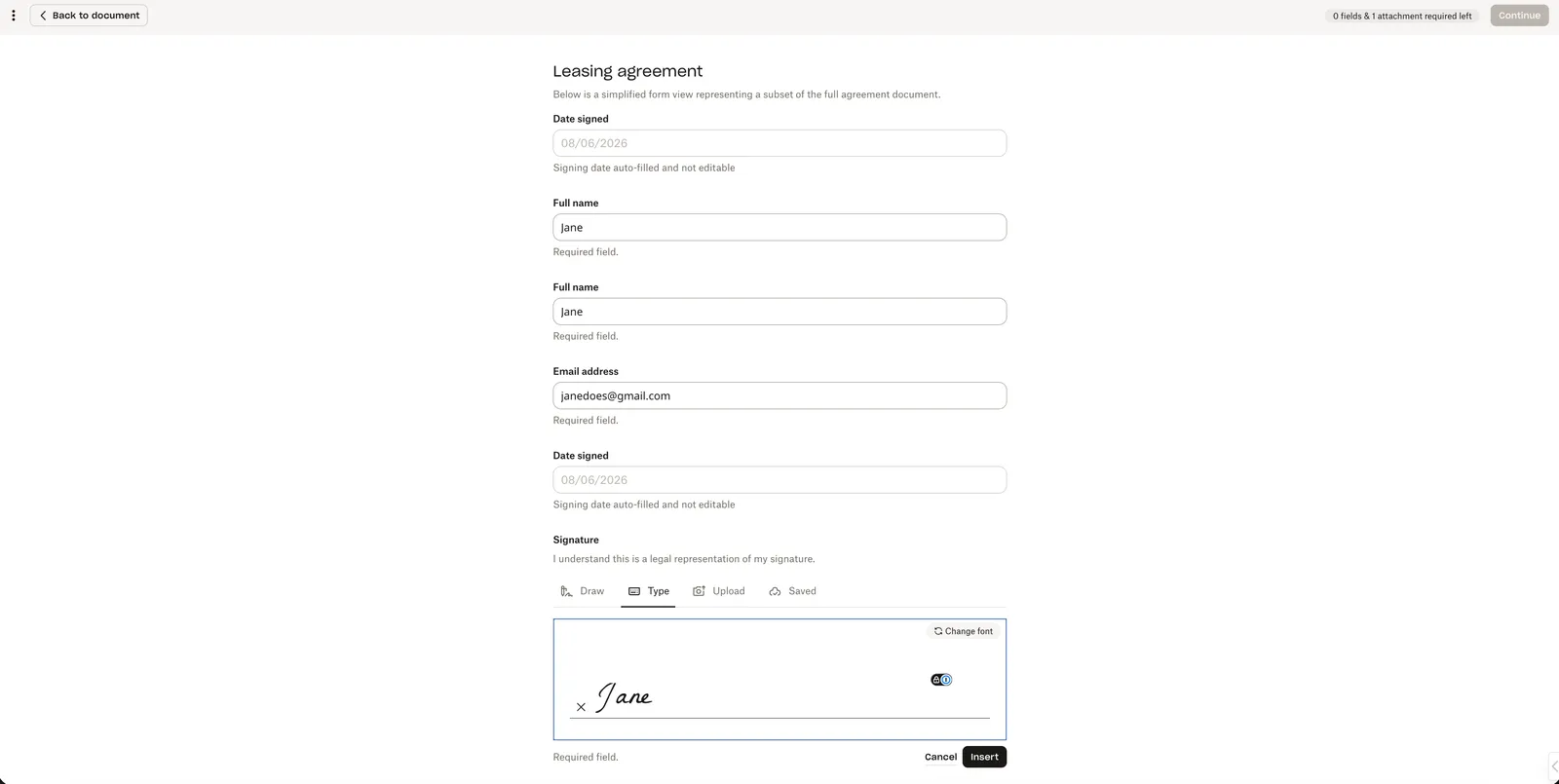 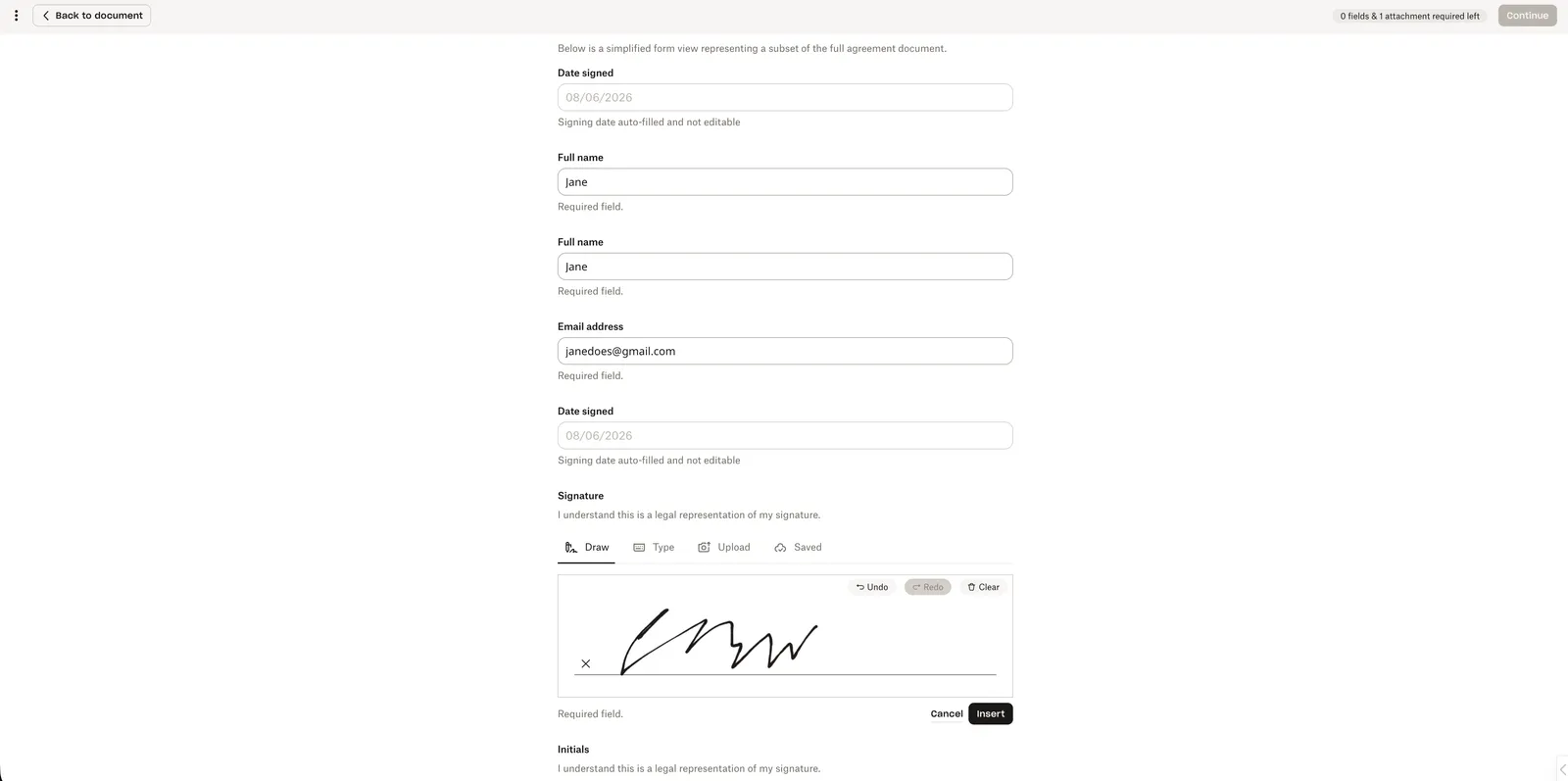 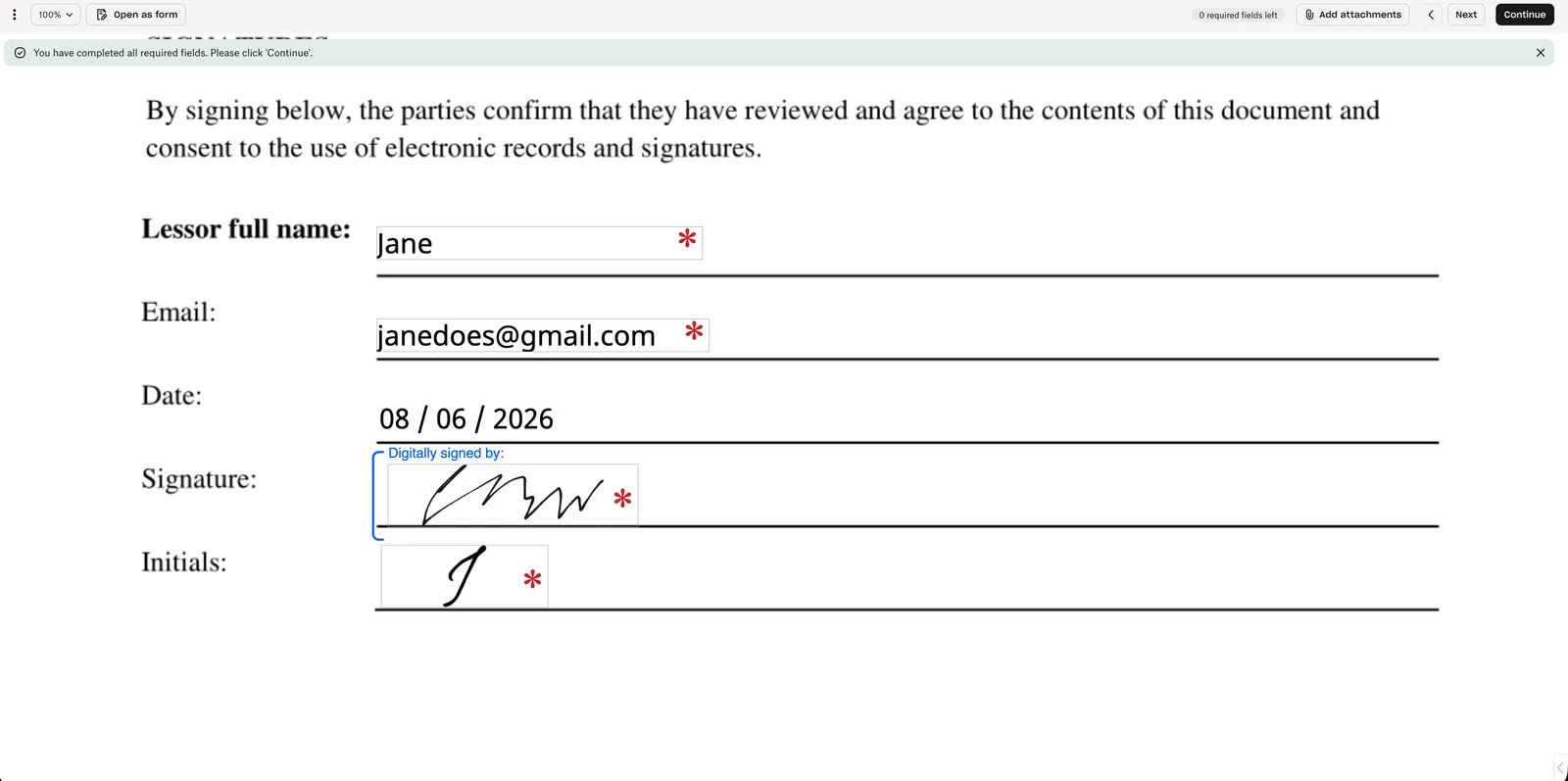 |
Signer Experience
| Update Details | Current Design | Updated Design |
|---|---|---|
| Access code: the access code page displays clearer instructions: “To access this document, enter the code provided by the sender. Contact the sender for more information.” The access code is case sensitive and there is a limited number of attempts to access the document. | 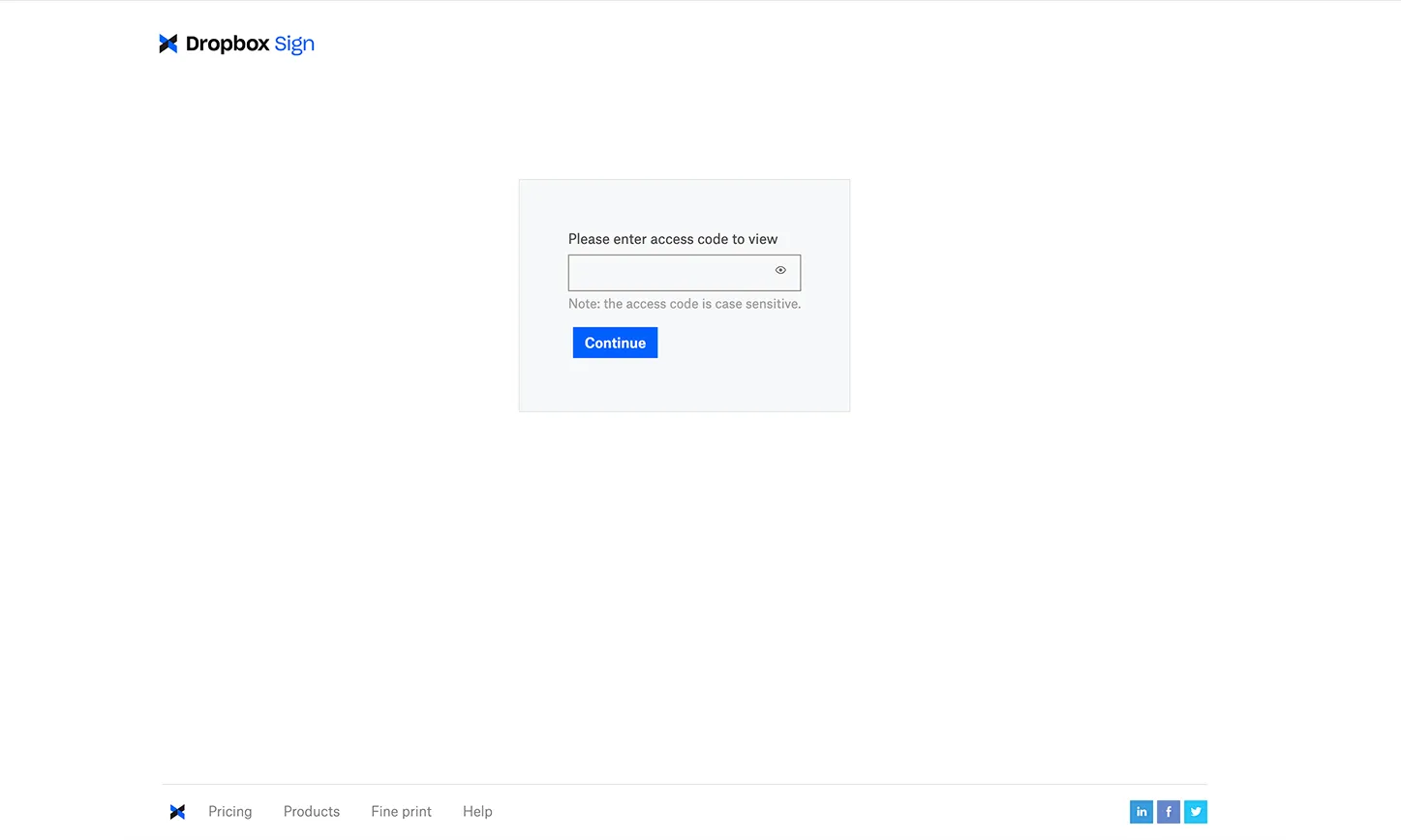 | 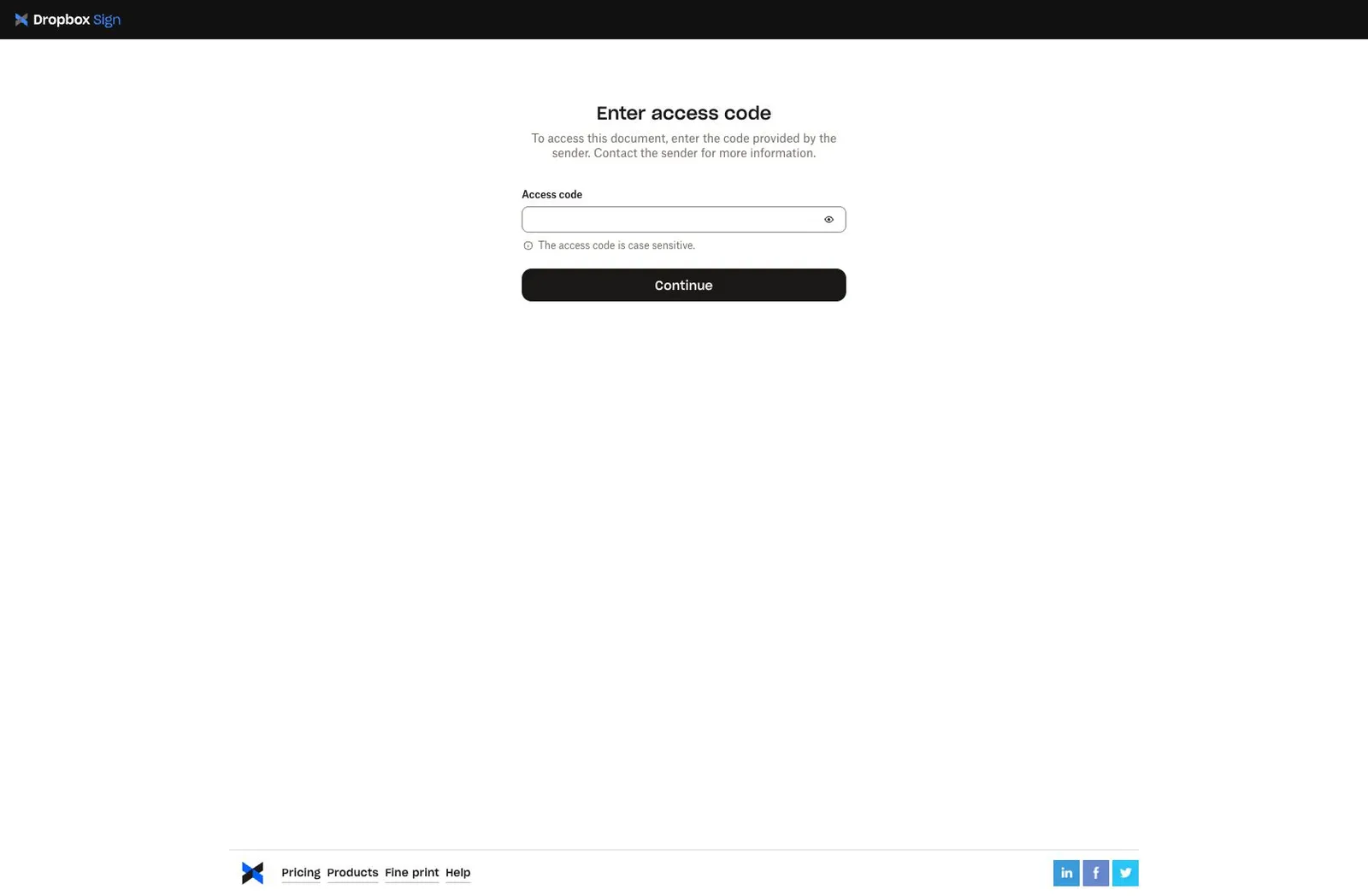 |
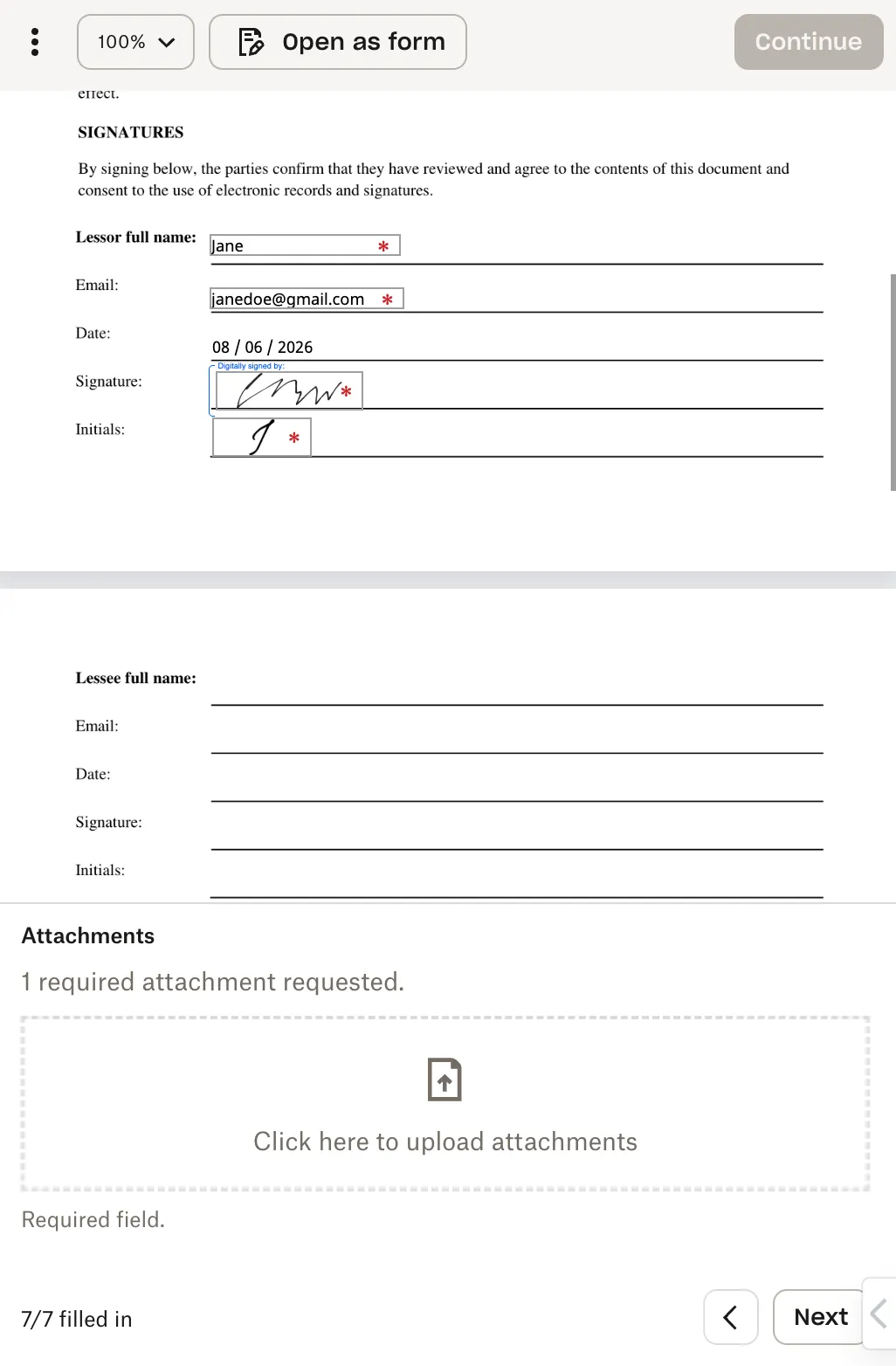
| With Mobile Form enabled on a mobile device, the “Get started” button appears in a drawer at the top of the document view. This also displays the number of filled out fields in the left corner. | 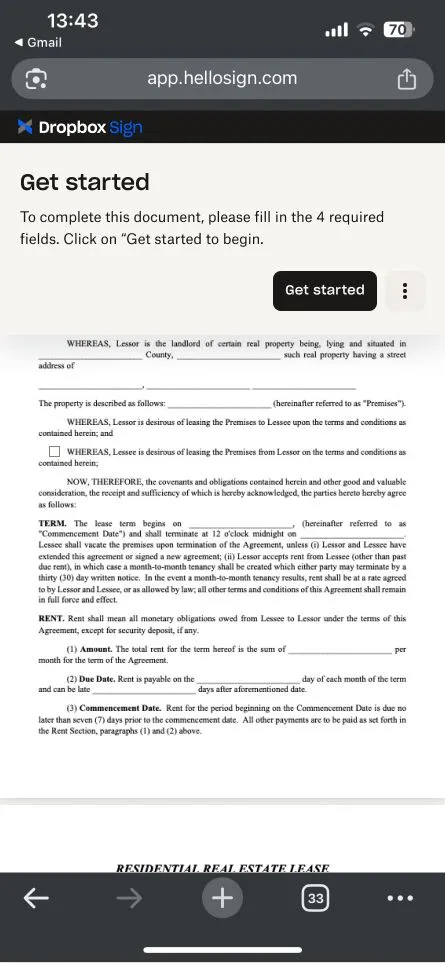 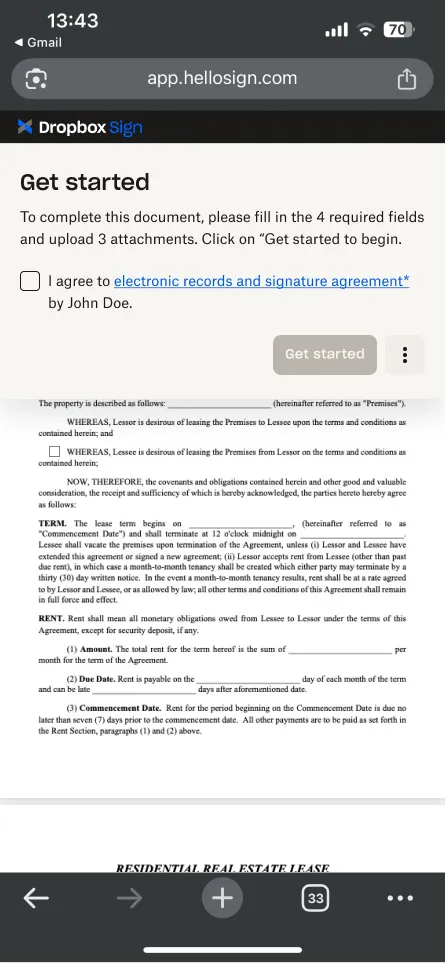 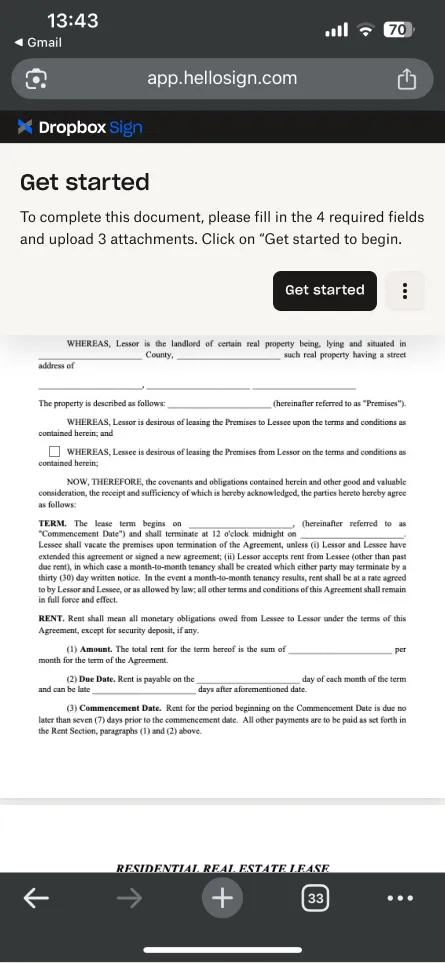 | |
| With Mobile Form enabled, the default document view on mobile devices keeps the placement of the “Legal agreement” checkbox above the “Get started” button in the drawer at the top of the document with an updated design. Additionally, the options for “Decline” and “Download” have moved to the bottom right of drawer. | 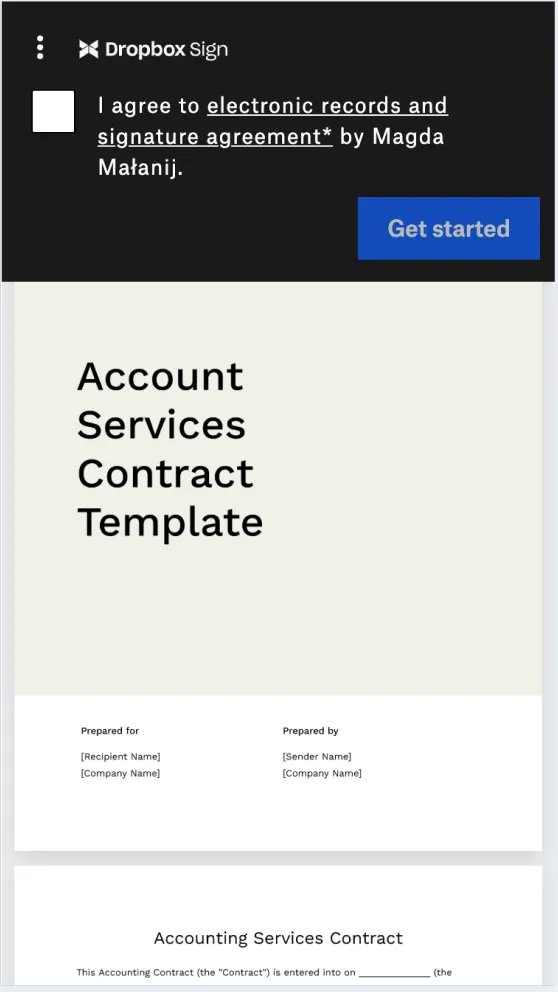 | 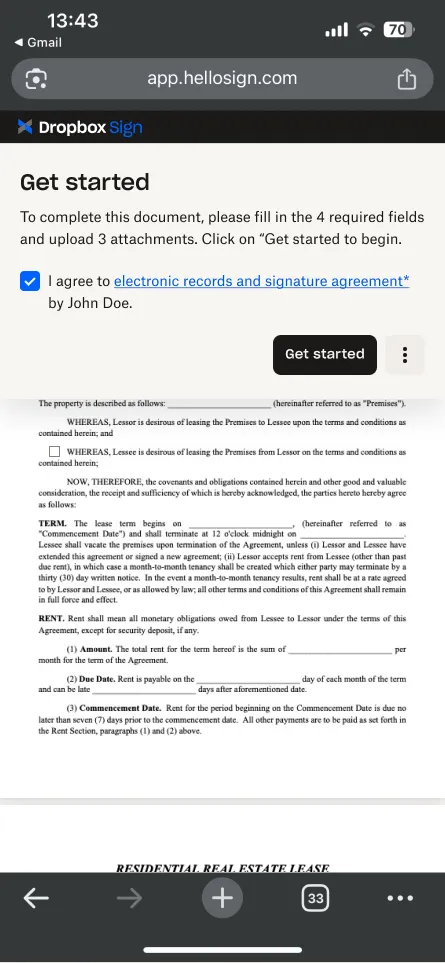 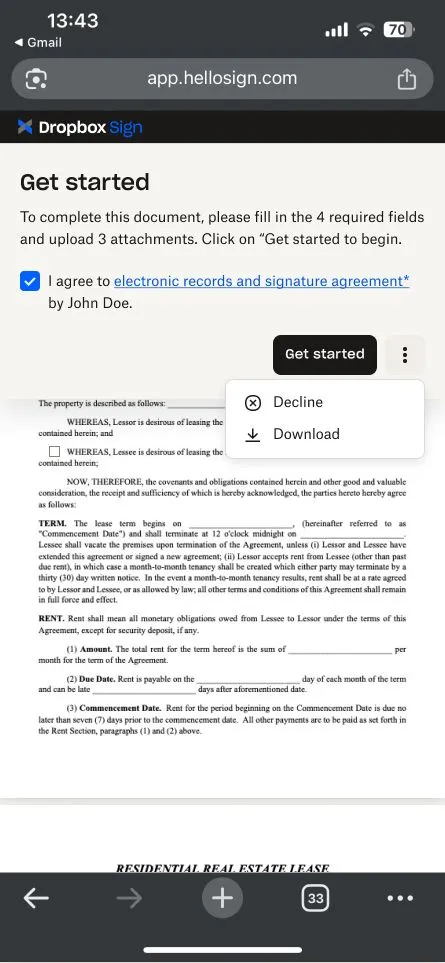 |
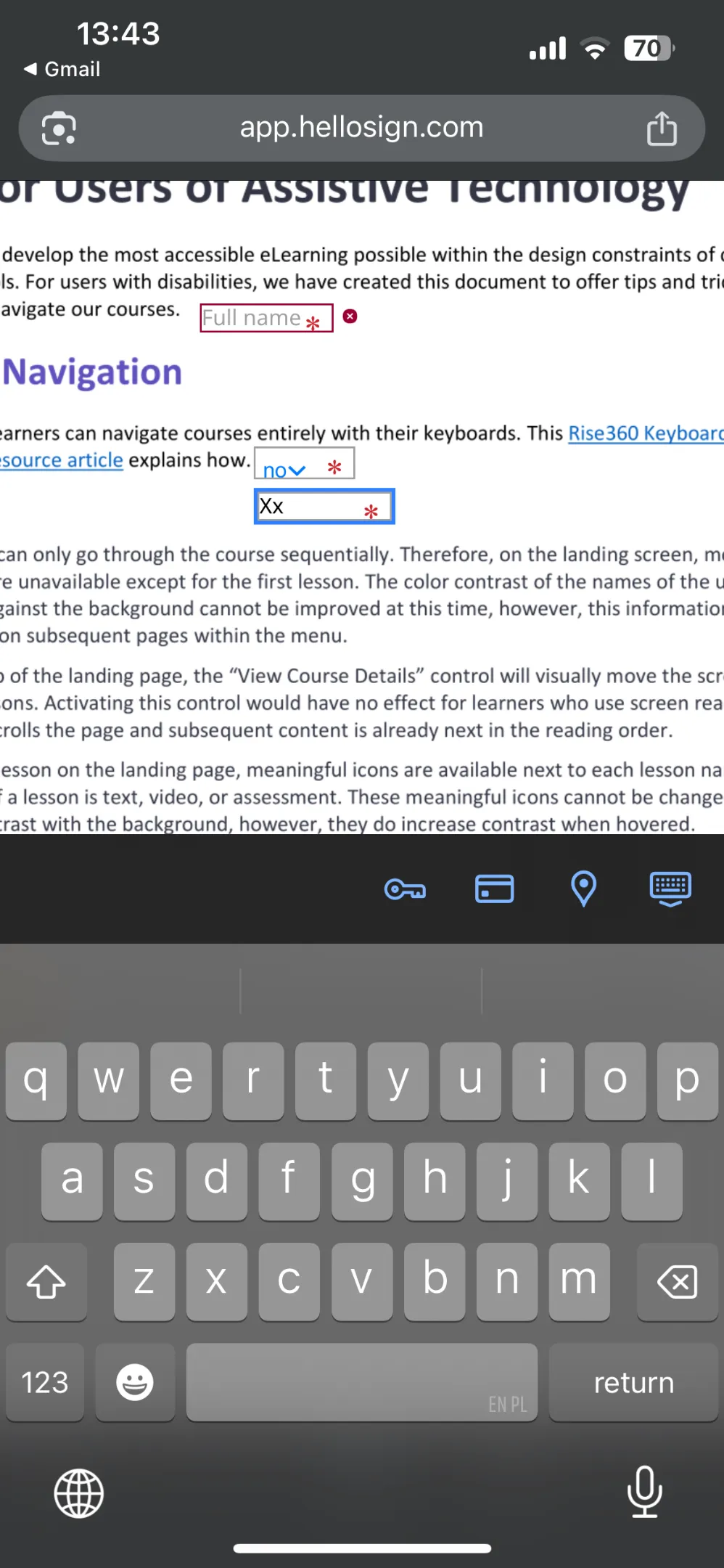
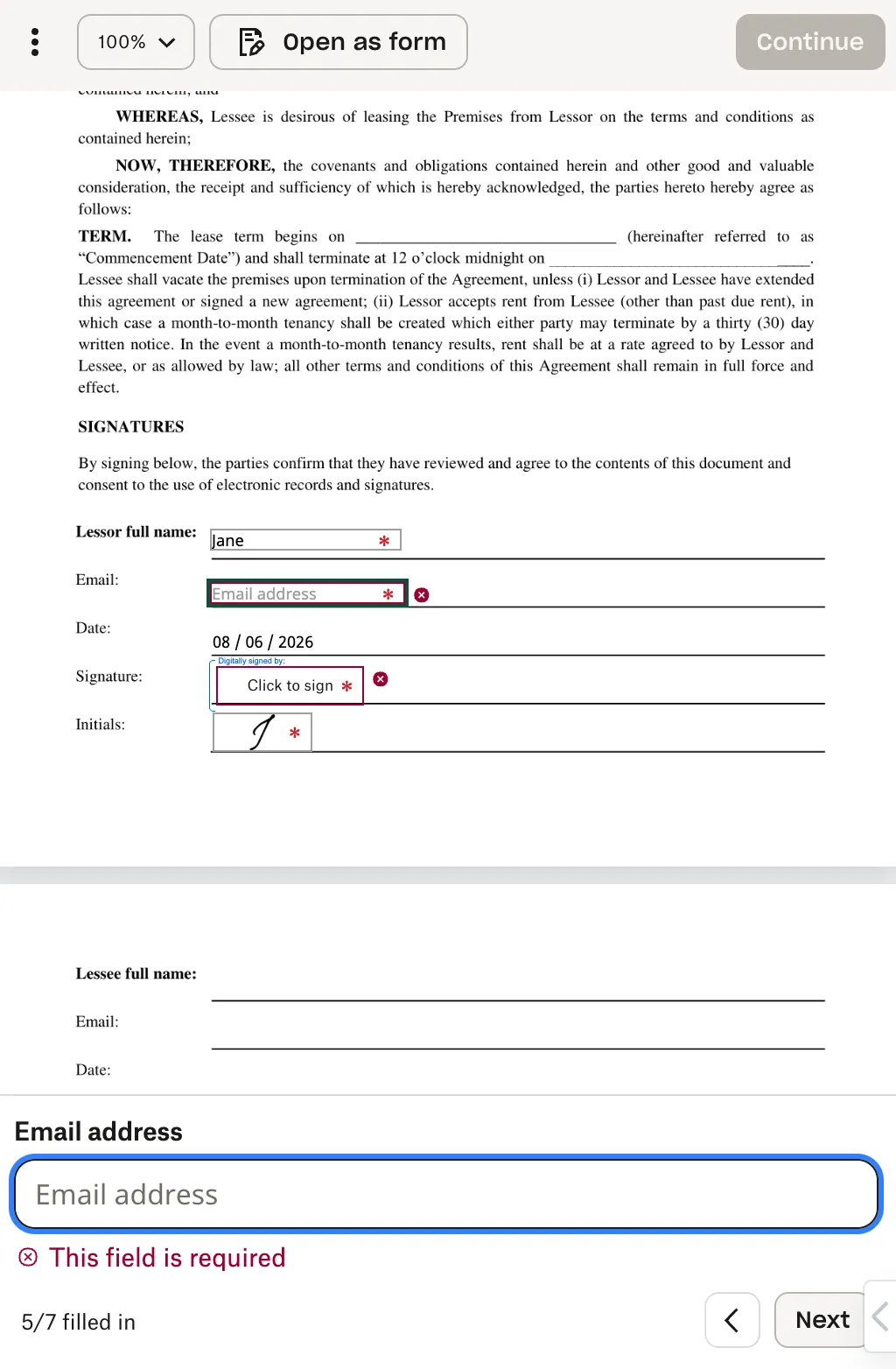
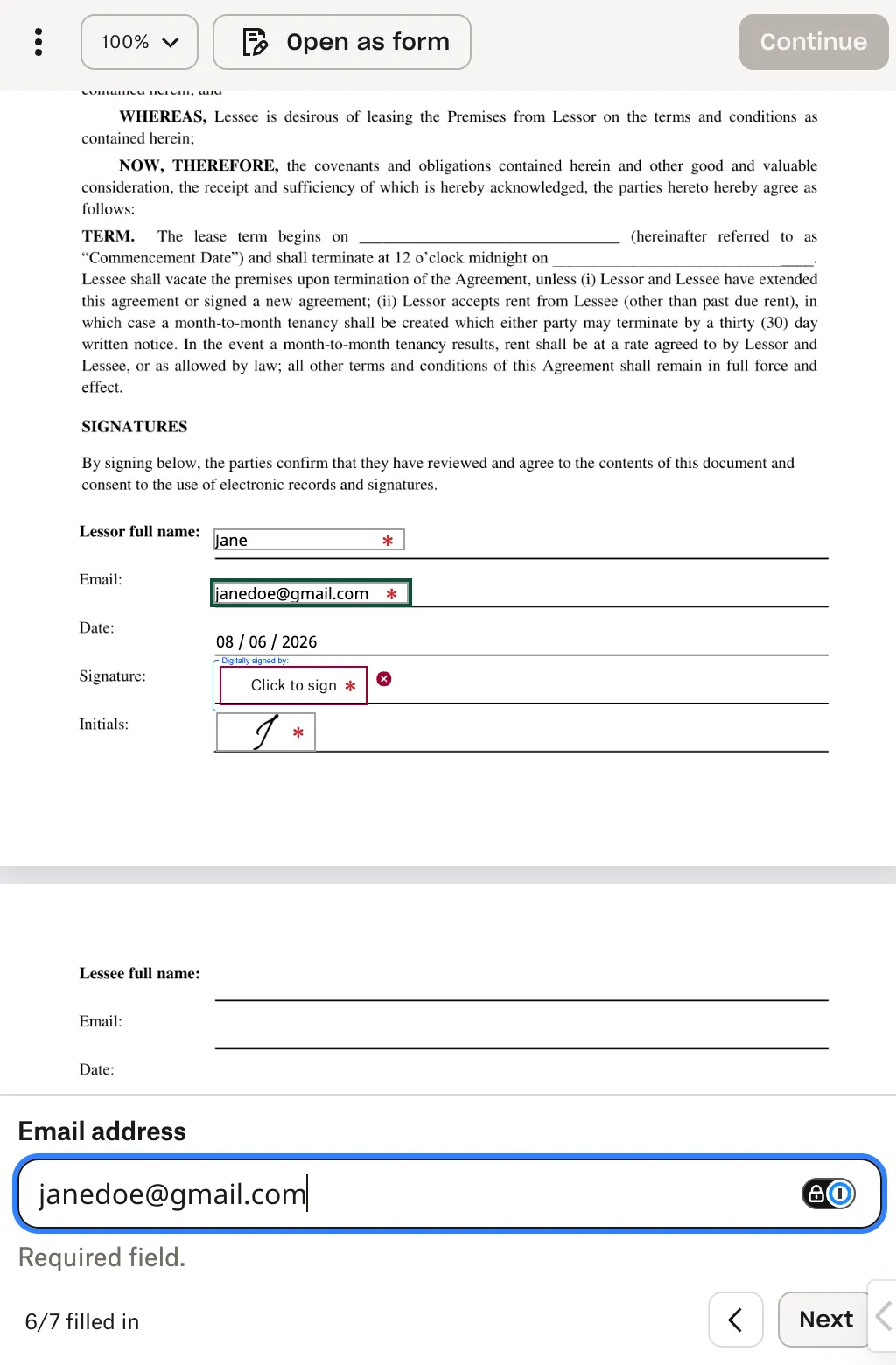
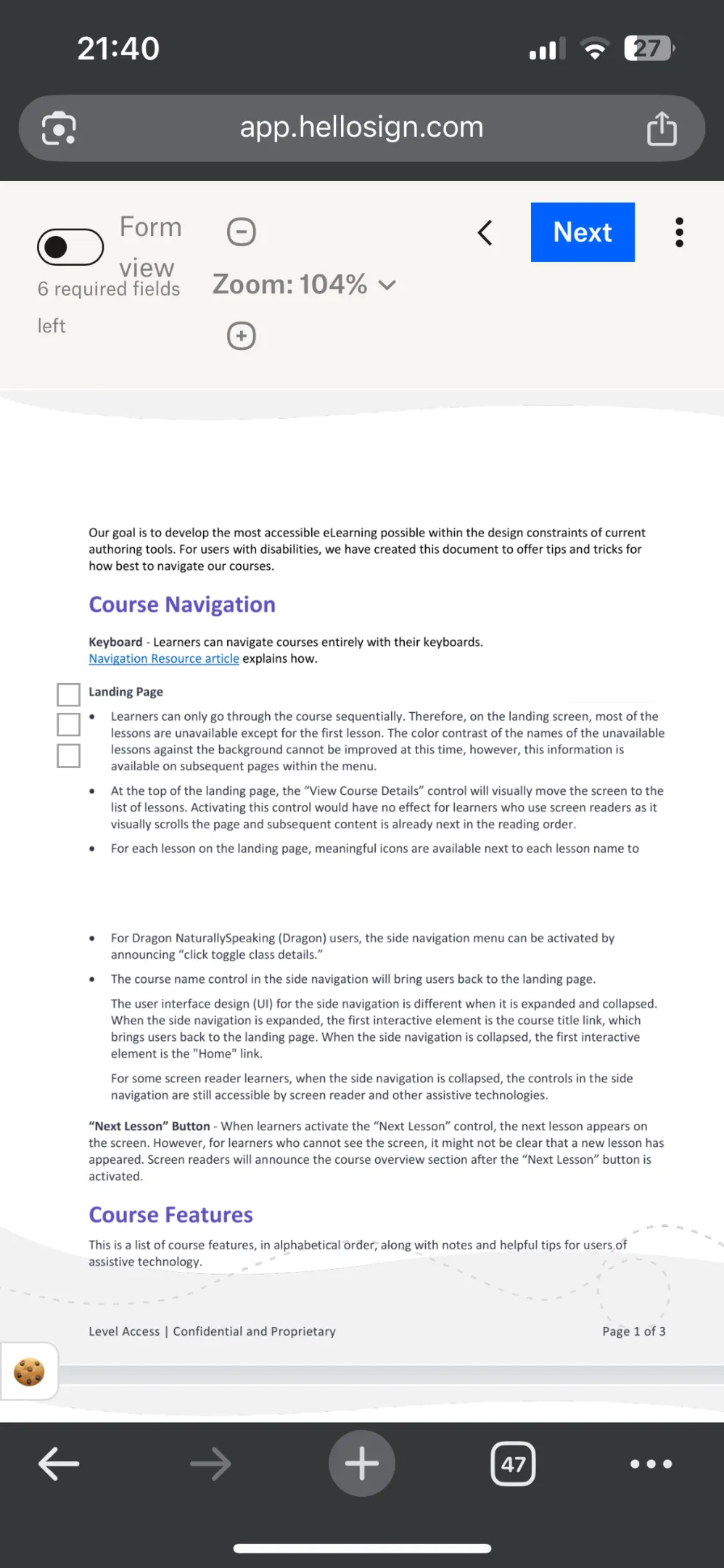
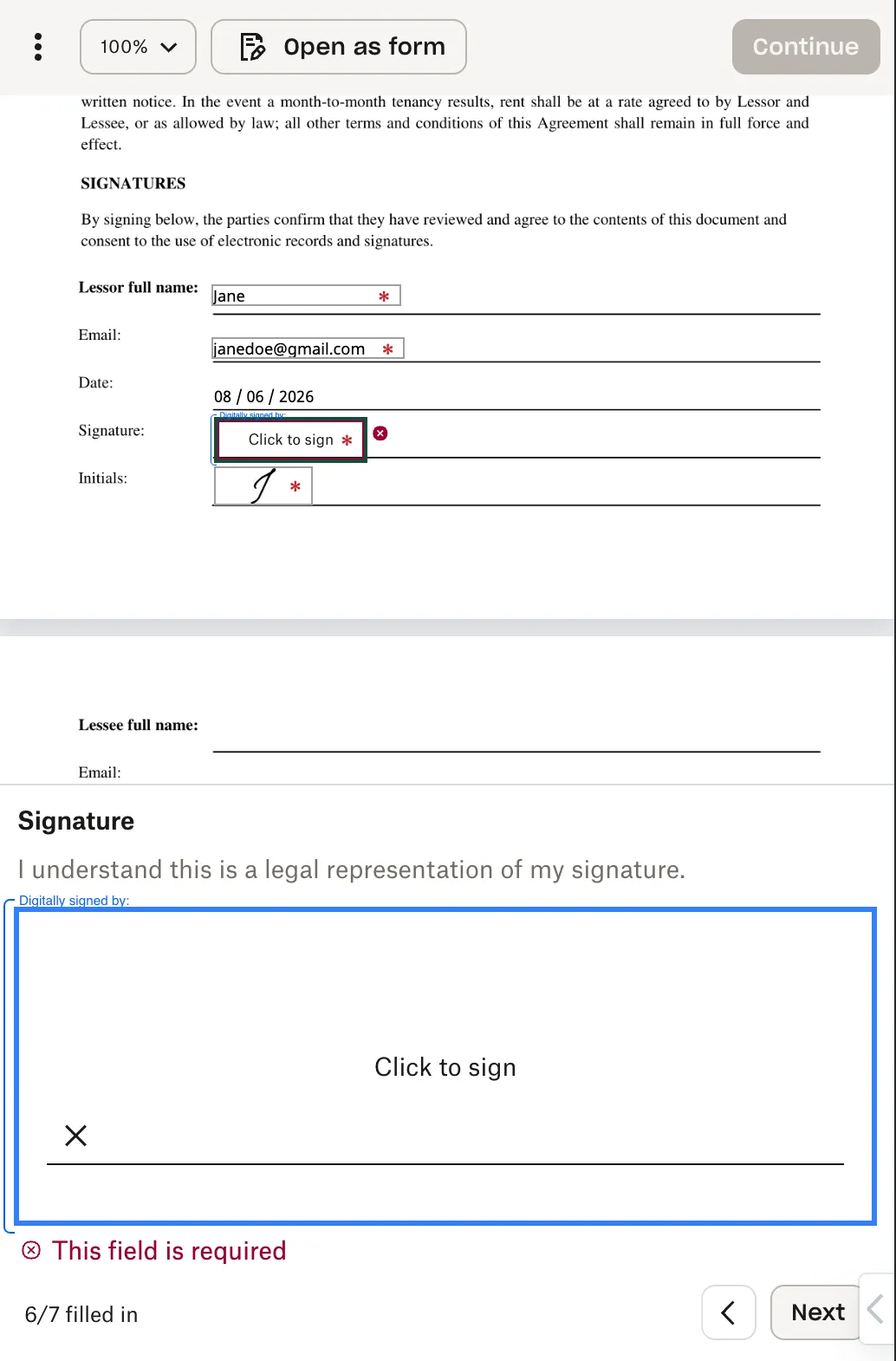
| With Mobile Form enabled on a mobile device, selected input fields within the document view will also be displayed in the bottom drawer. When the field is filled out in the bottom drawer, it’s content is reflected in the actual field on the document. The bottom drawer input field will indicate “Required field” or “Optional field” below the input. The “Next” button and the left arrow icon button in the right corner of the drawer allows the signer to navigate between fields on the document. Important Notes:
|   |   |
| With Mobile Form enabled on a mobile device, the bottom drawer of the document view will also display all checkboxes in a group. Important Notes:
|  | 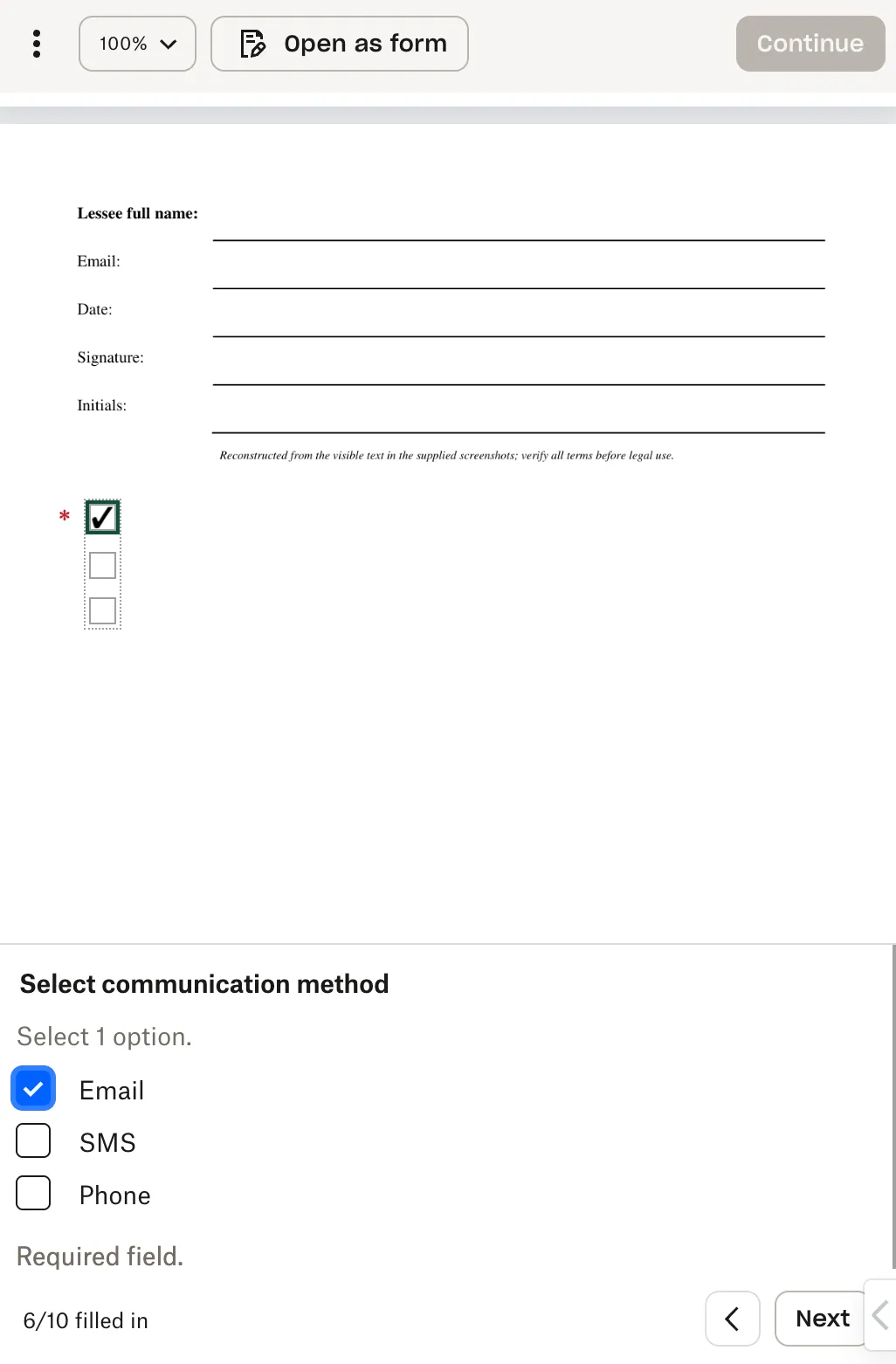 |
| Mobile devices display the legally bound agreement at the top of the document view. The “I agree” button that will finalize the signing process and the left arrow icon for navigation appear below the agreement text. | 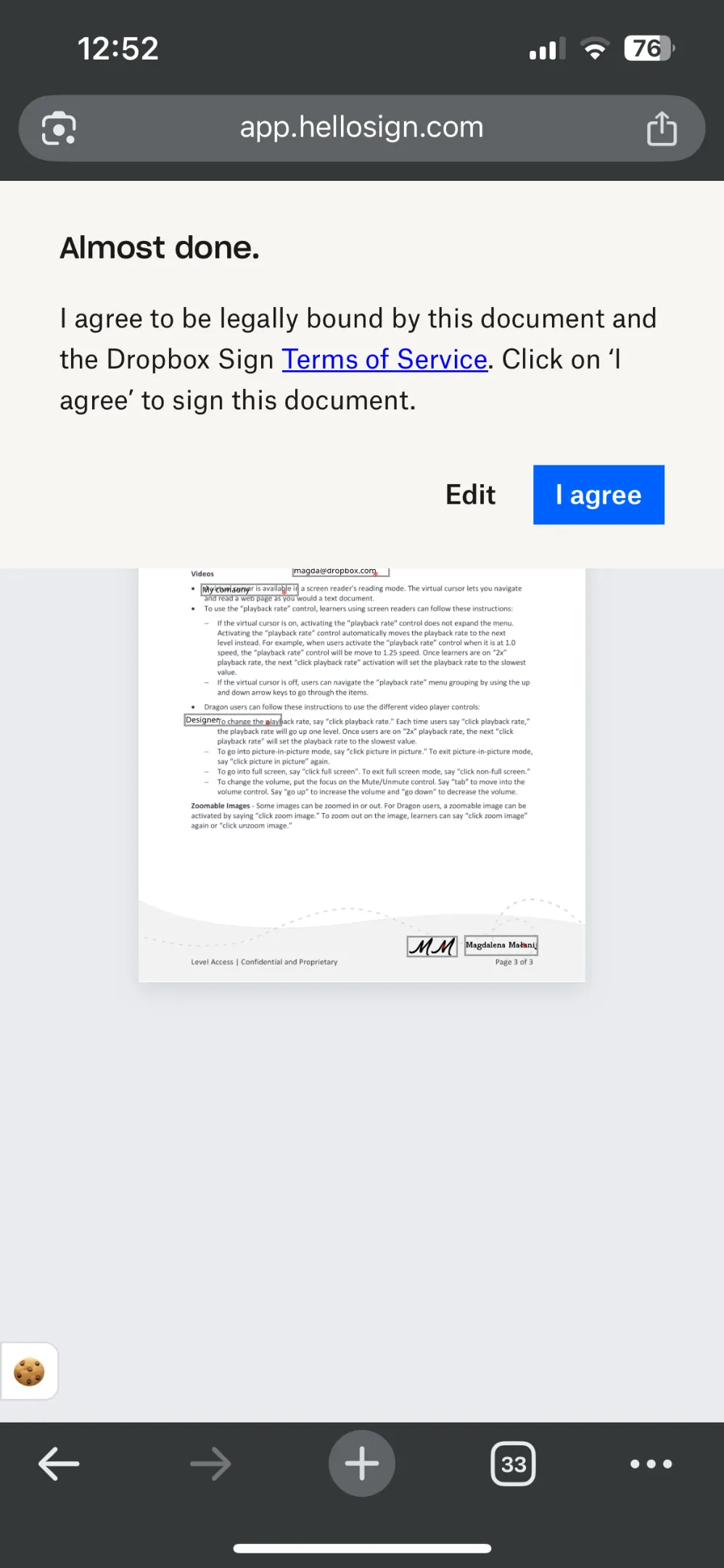 | 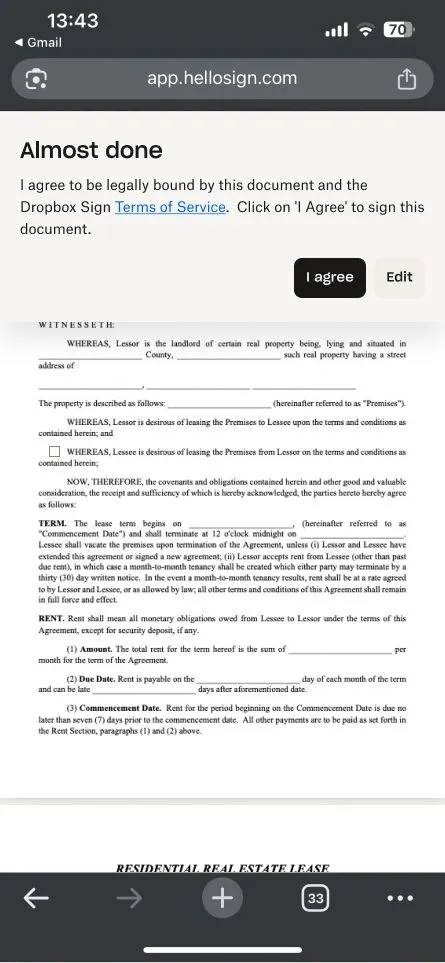 |
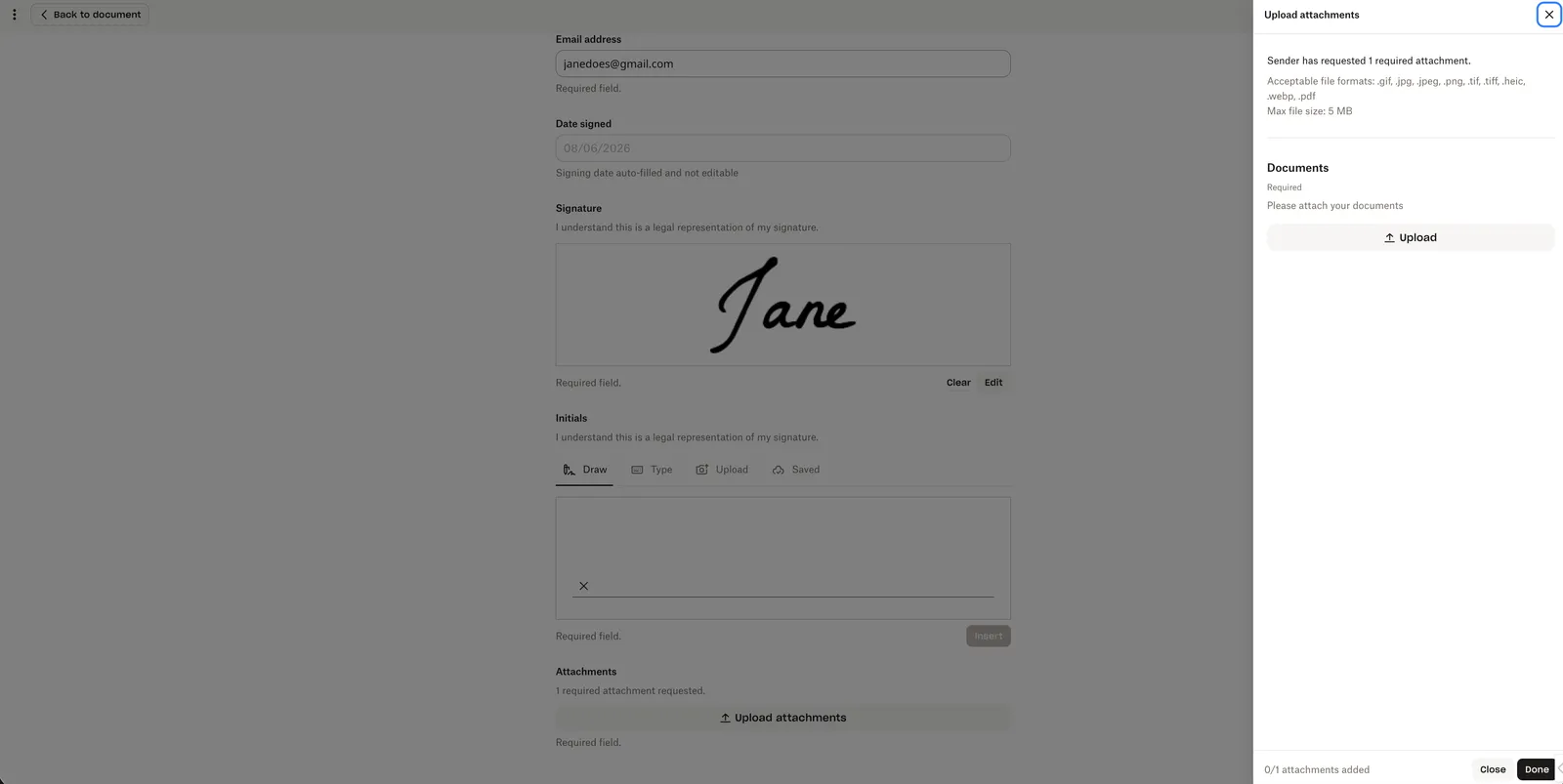
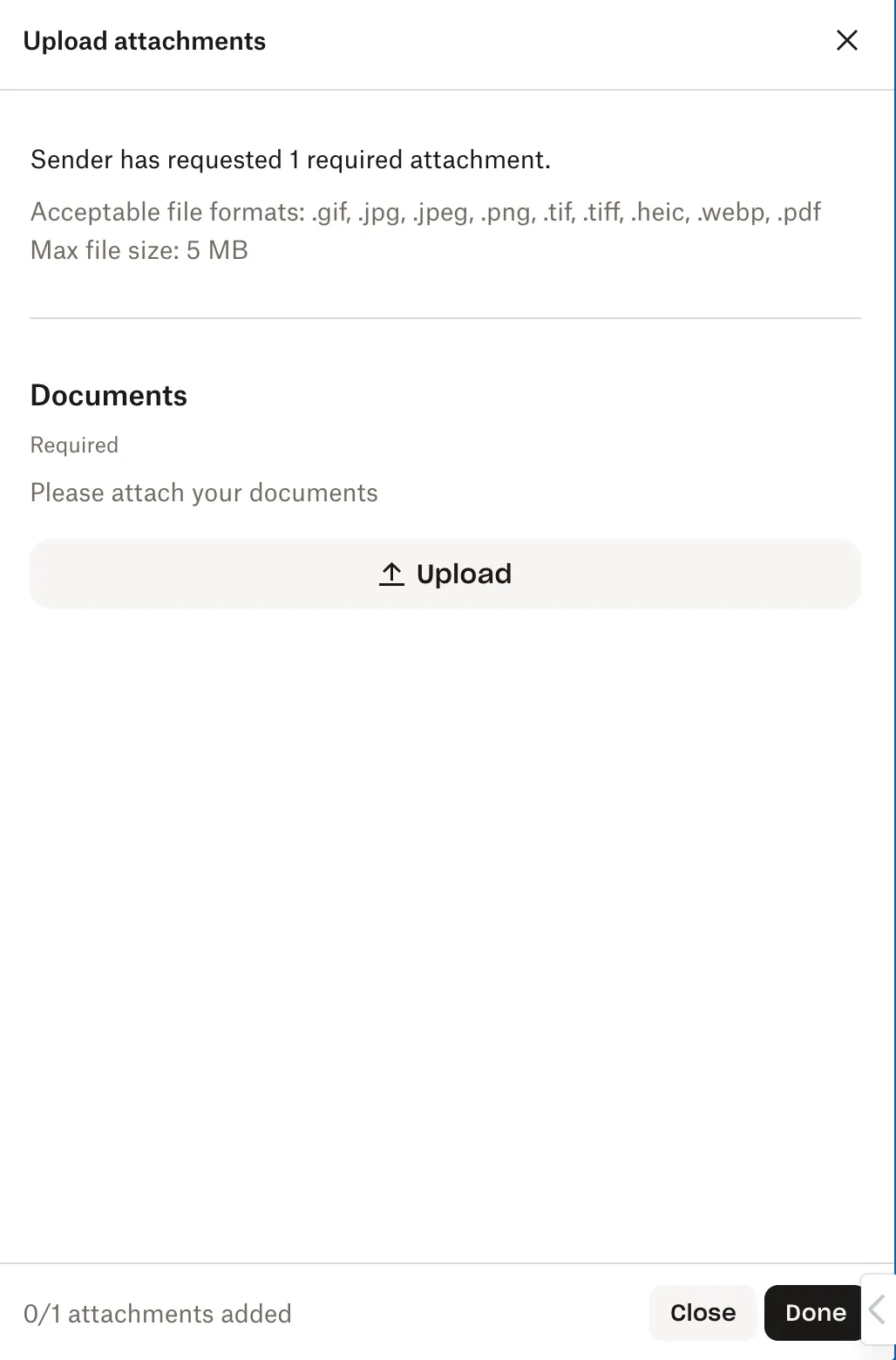
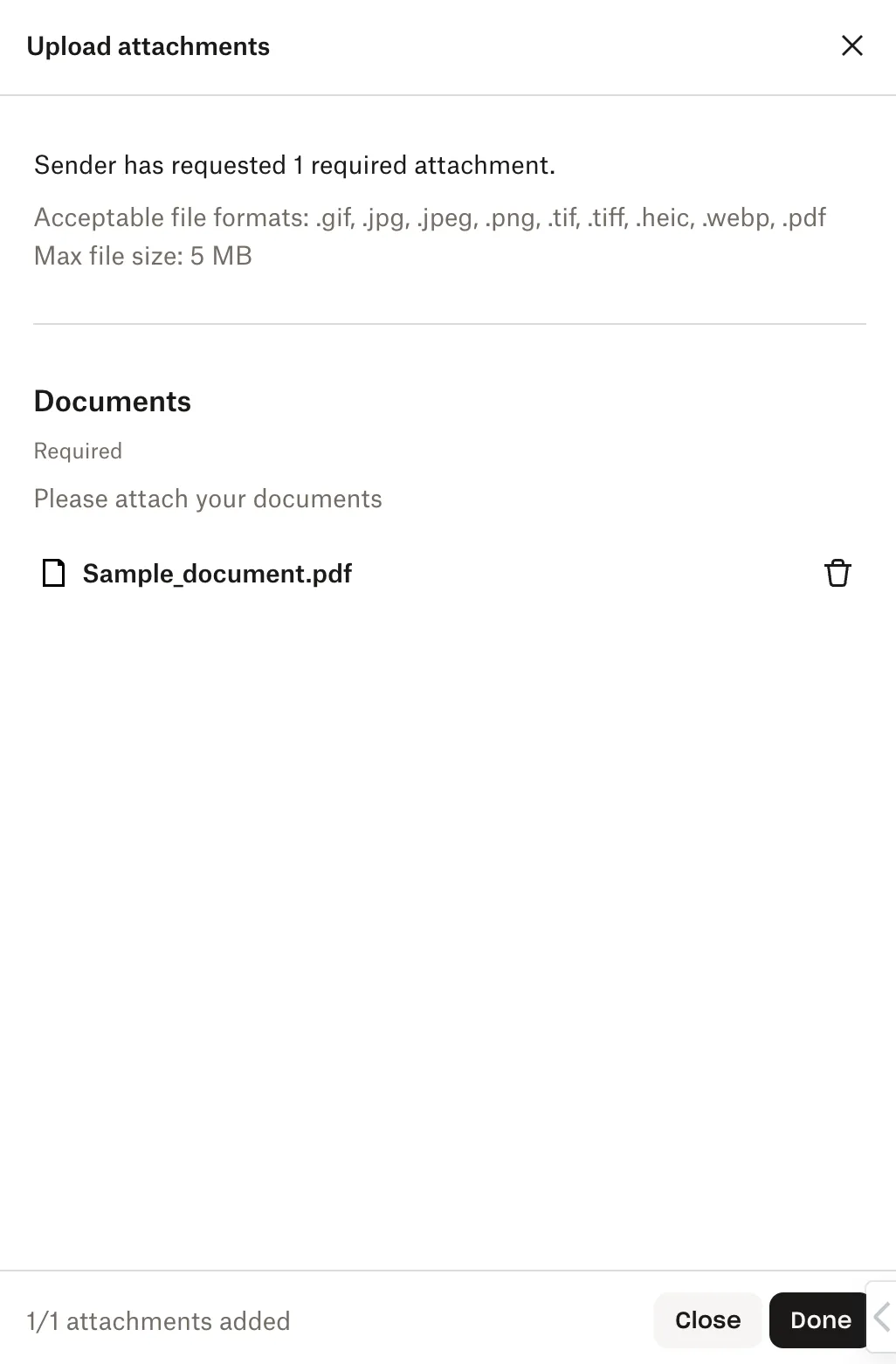
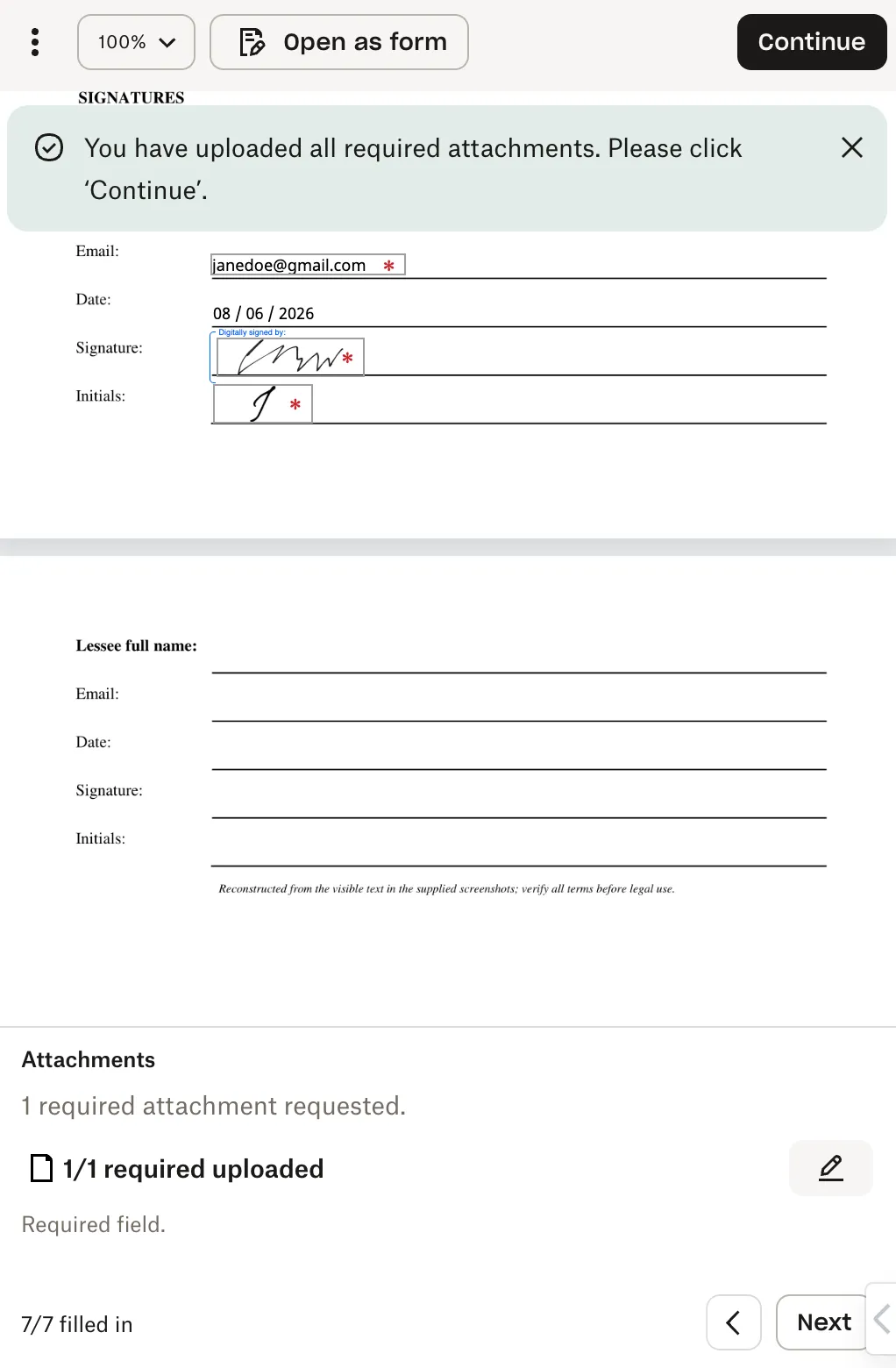
When attachments are required with Mobile Form enabled, an attachments panel appears in a drawer at the bottom of the document view (or at the end of the form when toggled). Clicking “Click here to upload attachments” opens a modal showing:
|  |      |
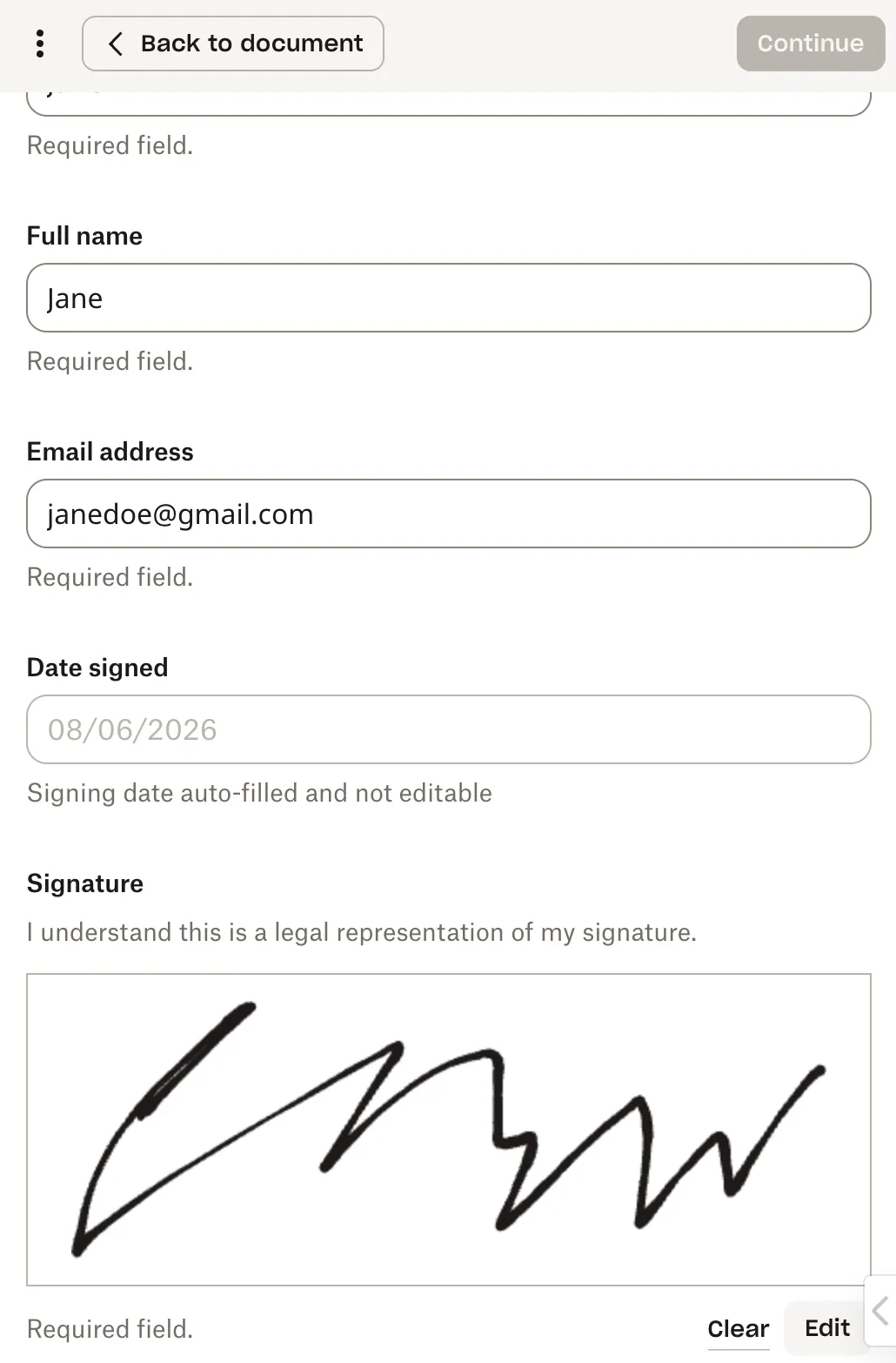
Signature fields appear in the drawer at the bottom of the document view or in a clear, organized layout when Mobile Form is toggled. Selecting “Click here to add your signature” (or clicking in the active signature field) opens a modal with signature options. You can:
|   |      |
Mobile Form in the API: Usage Guide
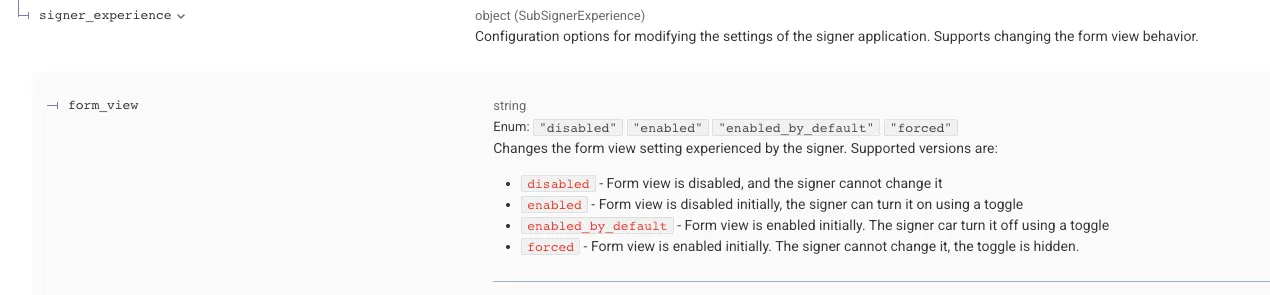
The API now supports Mobile Form settings for both template and signature request endpoints. This enhancement introduces a consistent contract update across all affected endpoints, adding a new nested field within the signer_experience object.
New Field Specification
Example JSON
Affected Endpoints
Template Endpoints
Signature Request Endpoints
- Create Embedded Signature Request
- Create Embedded Signature Request with Template
- Send Signature Request
- Send with Template
- Edit Signature Request
Default Behavior
The form_view field is optional and defaults to disabled, preserving the current signer-facing experience. Specifying any supported non-default value enables the updated Mobile Form.
Note:
- The signature request setting will override the template setting if there is a mismatch.
- If template setting is set to
"form_view":"enabled_by_default"and a signature request is initiated from this template, then you can override the template setting by passing in"form_view":"forced".
| Request Schema | Expected Behavior |
|---|---|
"form_view": "disabled" |
|
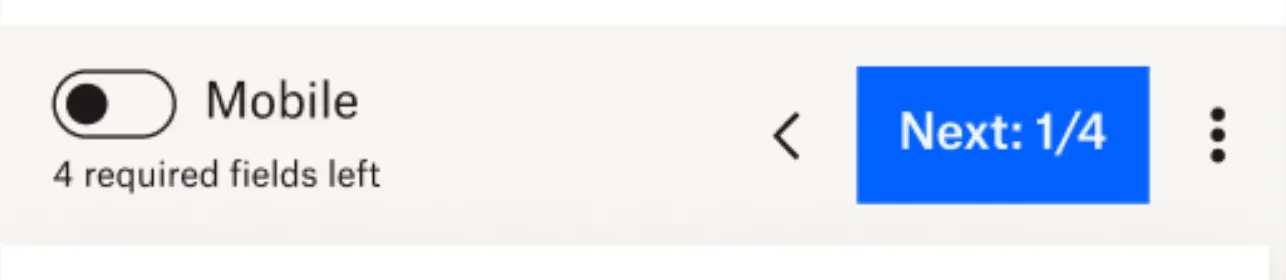
"form_view": "enabled" |
 |
"form_view": "enabled_by_default" |
 |
"form_view": "forced" |
 |
Template vs. Signature Request Behavior
When a signature request is created using a Send With Template endpoint, the signature request will, by default, inherit the Mobile Form configuration from the associated template or templates. When multiple templates are included in a single signature request, the following rules apply:
Inheritance from Templates
- If all templates included in the request specify the same
form_viewvalue, that value is applied to the resulting signature request. - If the values are conflicting the setting is set to the “lowest” version and a warning is added to the response
Conditions for Enabling Mobile Form
- To have Mobile Form enabled on the signature request:
- None of the templates used in the request may have
form_viewexplicitly set todisabled. - If even one template sets
form_view: "disabled", the signature request cannot use Mobile Form.
- None of the templates used in the request may have
Overriding via Signature Request Payload
- A
form_viewvalue may be passed directly in the payload of the Send With Template endpoint.- When provided, this value overrides the template-level Mobile Form settings.
- However, this override is not allowed if any of the templates in the request have
form_viewset todisabled. In that case, validation will fail, and the request cannot enable Mobile Form.
This behavior ensures that Mobile Form is only enabled when all participating templates are compatible with the Mobile Form experience.
Validation Requirements and Updating Templates
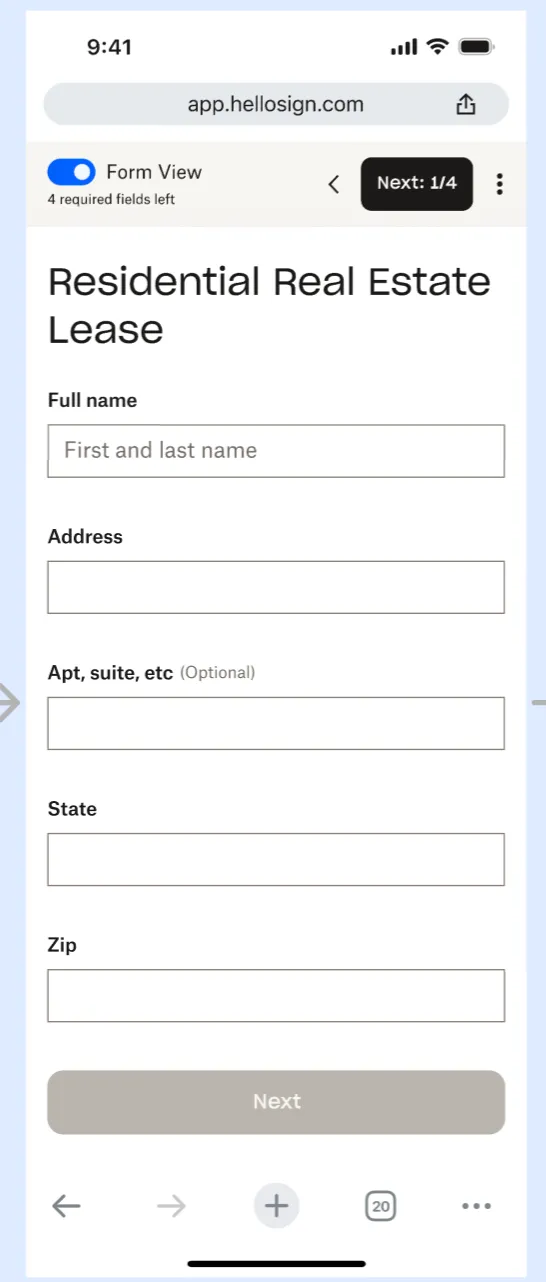
To support Mobile Form, all fields within a template or signature request must include a non-empty name attribute. Field names serve as the labels in Mobile Form and should clearly communicate each field’s context.
Updating Existing Templates
A new template update endpoint allows teams to:
- Enable Mobile Form on existing templates
- Add or update field names to meet validation requirements
Formal documentation for this endpoint is forthcoming. In the meantime, please refer to the following reference image and example payload.
Update Template Endpoint
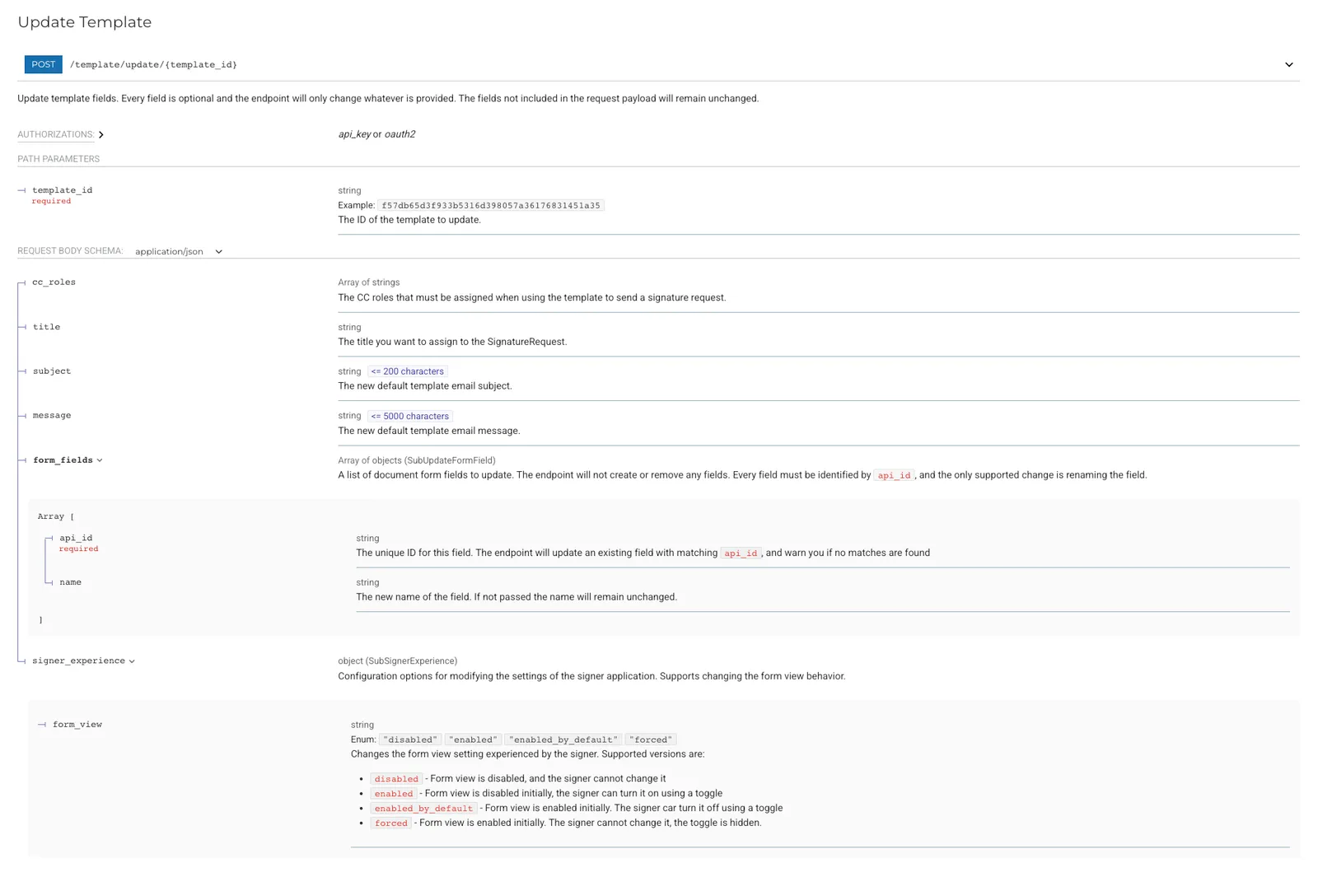
Example Update Payload
Questions
If you have any questions, please reach out to our support team for further assistance.