***
description: Overview of new process for Self-Publishing your API Apps.
'og:description': Overview of new process for Self-Publishing your API Apps.
----------------------------------------------------------------------------
# Self-Publishing API Apps
We are introducing a new, faster API App Approval process that allows developers to self-publish API Apps without requiring a manual review from support. This page outlines the details and steps for Self-Publishing API Apps.
Note: This page highlights the new process of auto-publishing your API Apps. If you require submitting an API App for our support team to review, please visit our Submitting for approval section.
## Self-Publishing API Apps
Developers can now self-publish API Apps directly to production. Once your API App is ready for use in a live deployment, follow the steps below. Please note the following changes of this process:
* No Manual Review Required: Support will no longer need to review and approve your API App before publishing, allowing you to deploy faster.
* Embedded Workflows Only: This process is currently available only for Embedded Workflows. If you're developing an OAuth App, manual review by support is still required. Learn more about submitting OAuth Apps for review here.
## Steps to self-publish your API App:
| Steps | Screenshot |
| -------------------------------------------------------------------------------------------------------------------------------------------------------------------------------------------------------------------------------------------------------------------------------------------------- | --------------------------------------------------------------------------------------------------------------------- |
| 1. Log into Dropbox Sign, navigate to the API tab, and click on “Create app”. | 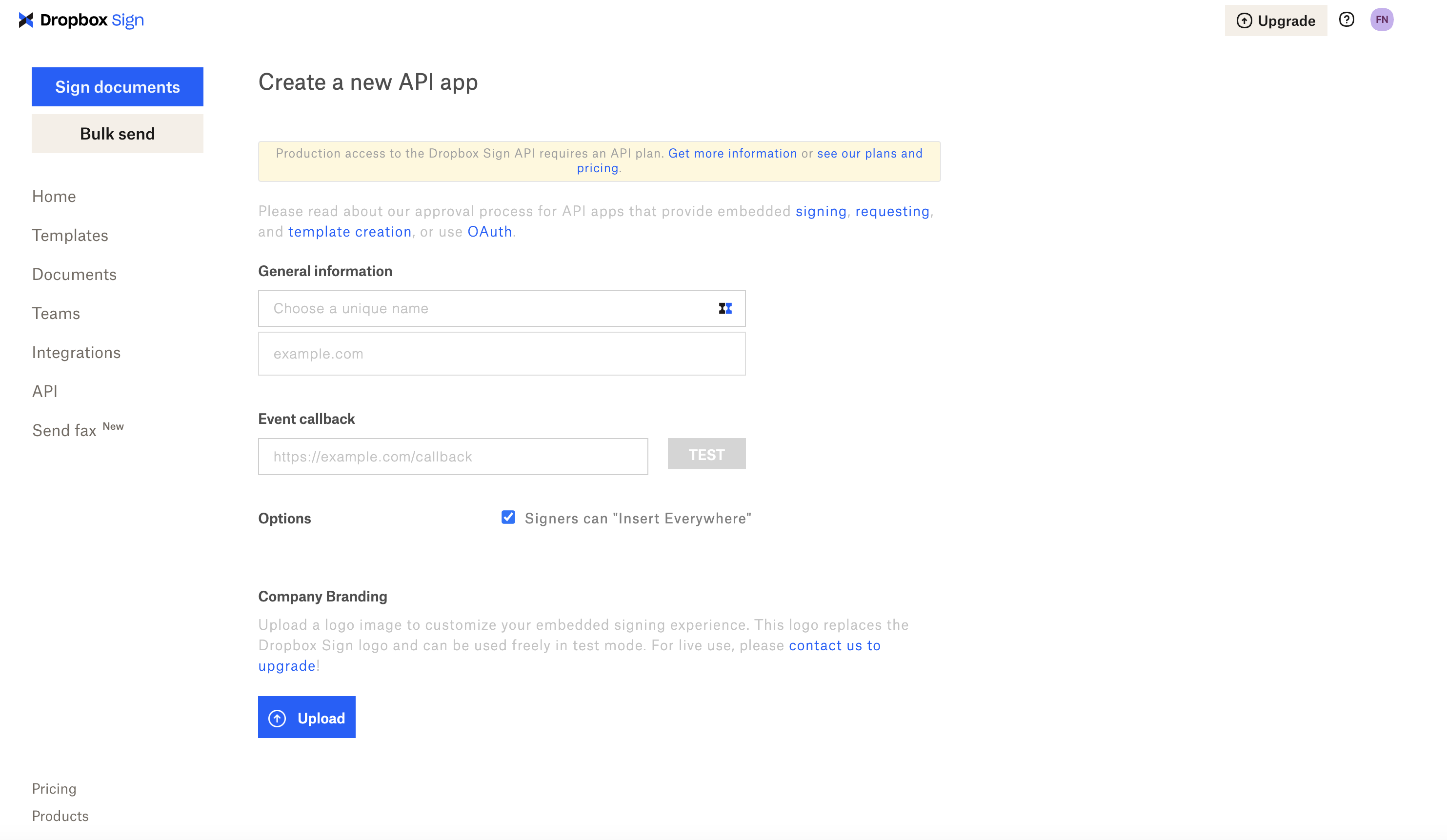 |
| 2. Create the App: Fill in the required information for your API App, including the App Name, Domain, Event Callback URL, and other details. Once you have completed the form, click on “Create application”. | |
| 3. Publish the App: On the main API settings page, locate the “Publish” button and click it to move your API App to production. |
|
| 2. Create the App: Fill in the required information for your API App, including the App Name, Domain, Event Callback URL, and other details. Once you have completed the form, click on “Create application”. | |
| 3. Publish the App: On the main API settings page, locate the “Publish” button and click it to move your API App to production. |  |
## Publishing Limits
You can self-publish up to 10 API Apps. After reaching this limit, please contact our support team to discuss additional API App needs.
## Faster Time to Production
This update enables a significantly faster approval process. API Apps can now be published to production within seconds, eliminating the wait time that came with manual reviews by support. This streamlines the development and deployment workflow, allowing your apps to go live much more quickly.
## Self-Publish via Website Only
While developers can still use the Create API App endpoint to create new API Apps, please note that publishing must be done by logging into Dropbox Sign.
## Terminology Update
As part of this change, we're updating the language in the developer portal from "Approved" to "Published" to better reflect the self-service nature of this new process.
For further information or assistance, feel free to reach out to our support team.
## Published API Apps
Once you have successfully self-published your API app, we highly recommend that you check out our "You've Been Approved" page for best practices on how to make production requests and to review our frequently asked questions on published API apps.
If you have any questions about the new process or need any assistance, please let us know by opening a support ticket with our support team and we'll be happy to assist.
|
## Publishing Limits
You can self-publish up to 10 API Apps. After reaching this limit, please contact our support team to discuss additional API App needs.
## Faster Time to Production
This update enables a significantly faster approval process. API Apps can now be published to production within seconds, eliminating the wait time that came with manual reviews by support. This streamlines the development and deployment workflow, allowing your apps to go live much more quickly.
## Self-Publish via Website Only
While developers can still use the Create API App endpoint to create new API Apps, please note that publishing must be done by logging into Dropbox Sign.
## Terminology Update
As part of this change, we're updating the language in the developer portal from "Approved" to "Published" to better reflect the self-service nature of this new process.
For further information or assistance, feel free to reach out to our support team.
## Published API Apps
Once you have successfully self-published your API app, we highly recommend that you check out our "You've Been Approved" page for best practices on how to make production requests and to review our frequently asked questions on published API apps.
If you have any questions about the new process or need any assistance, please let us know by opening a support ticket with our support team and we'll be happy to assist.