***
## title: Embedded Saved Signatures
Dropbox Sign allows you to create and save signatures for easy use when signing documents. When using our UI or non-embedded API workflows, after a signer creates a signature once (drawing, typing, or uploading an image) it is saved to their account. The user can then reuse it again in future signature requests. We also provide this saved signatures feature for our embedded workflows, but it works slightly differently. This documentation will walk you through how to implement saved signatures when using embedded workflows.
## Saved Signatures in Embedded vs. Non-Embedded Workflows
The Saved Signatures feature functions differently depending on whether the signature request is **embedded** or **non-embedded**. The way these saved signatures are stored and retrieved depends on the request type:
* **Non-Embedded Requests:** Saved signatures are associated with the signer's individual account. Once a signature is saved, it can be reused for any future non-embedded requests tied to that account.
* **Embedded Requests:** Saved signatures are specific to the API app that generated the request. When a signer completes a signature request from a specific API app for the first time, the signature must be drawn, typed, or uploaded. It will be saved upon completion of the signature request. This saved signature will then be available for reuse in future embedded requests generated by the same API app.
This behavior allows for a consistent and app-specific signature experience in embedded workflows, while maintaining account-level signature reuse for non-embedded workflows.
**Warning:** Non-embedded saved signatures on your account will not show any of the signatures saved in embedded request signing. Embedded request’s saved signatures are specific to the API app used to generate the request.
## Supported Embedded Endpoints:
* [v3/signature\_request/create\_embedded](/api/signature-request/create-embedded)
* [v3/signature\_request/create\_embedded\_with\_template](/api/signature-request/create-embedded-with-template)
* [v3/signature\_request/bulk\_create\_embedded\_with\_template](/api/signature-request/bulk-create-embedded-with-template)
## Enable Saved Signatures For Embedded Workflows
**Note:** The Embedded Saved Signature option can only be added to your API apps through the API Settings in your account user interface. This feature **cannot currently be updated via an API endpoint**.
| Steps | Image |
| ------------------------------------------------------------------------------------------------------------------------------------------------------------------------------------ | ------------------------------------------------------------------------------------------- |
| 1. Login to your Dropbox Sign account and select the "**API**" tab from the left navigation. | 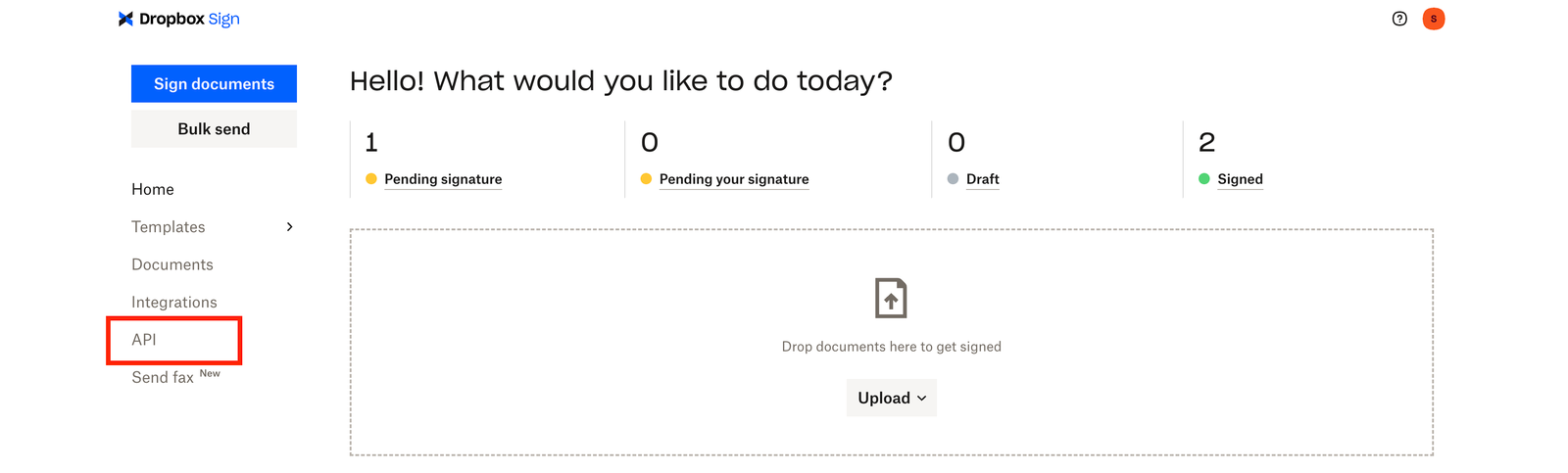 |
| 2. Scroll to the "**API apps**" section and click the edit icon next to the API app where you want to enable saved signatures. | 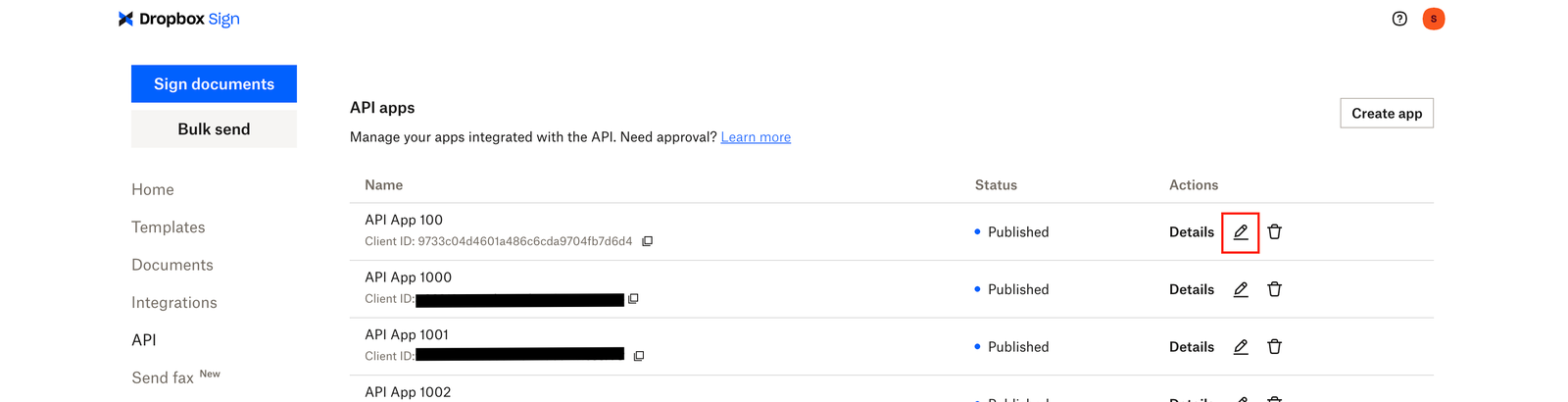 |
| 3. On the "**Edit API app details**" page, select the checkbox under the "**Options**" section that states "**Enable showing saved signatures in embedded signing.**" | 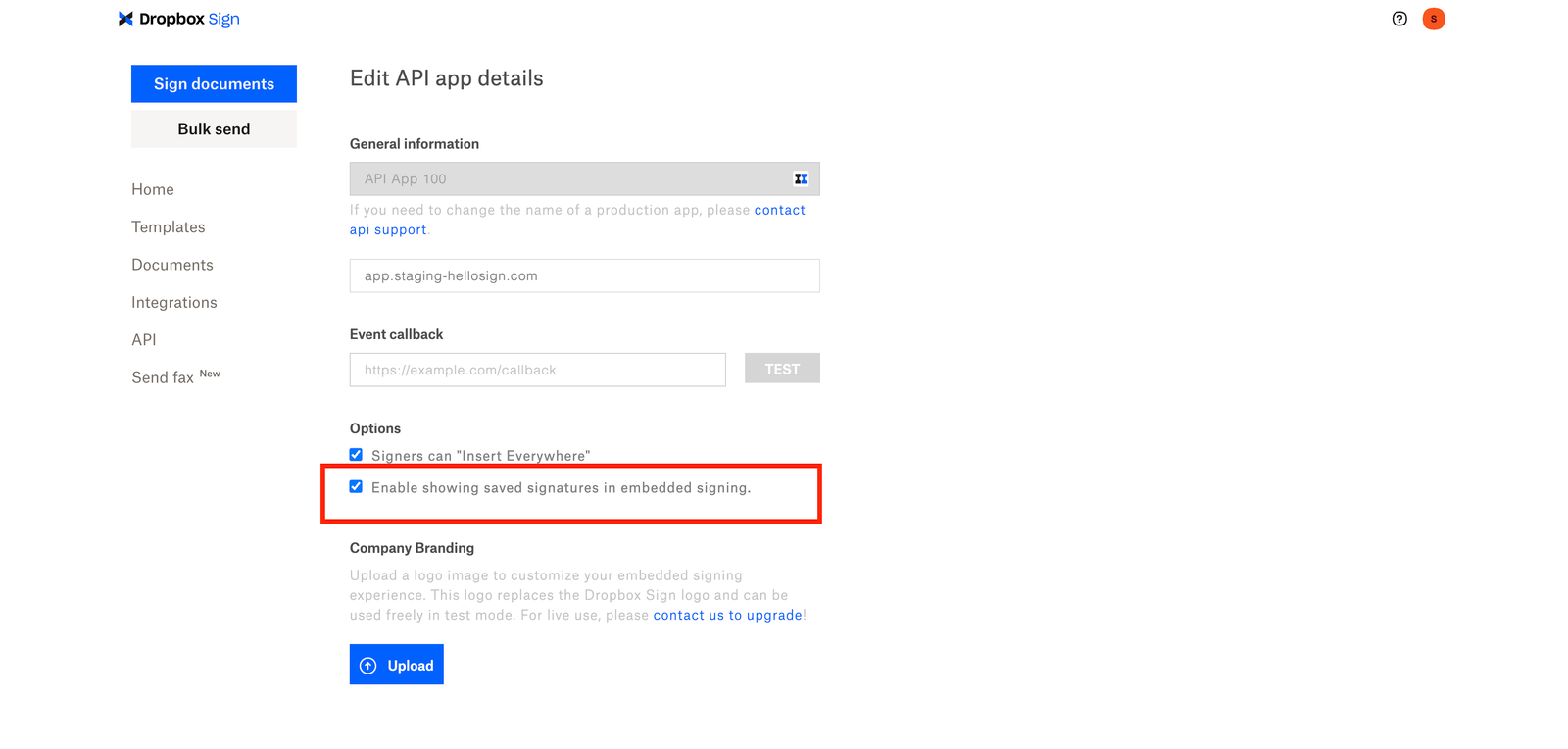 |
| 4. Select the "**Update Application**" button. | 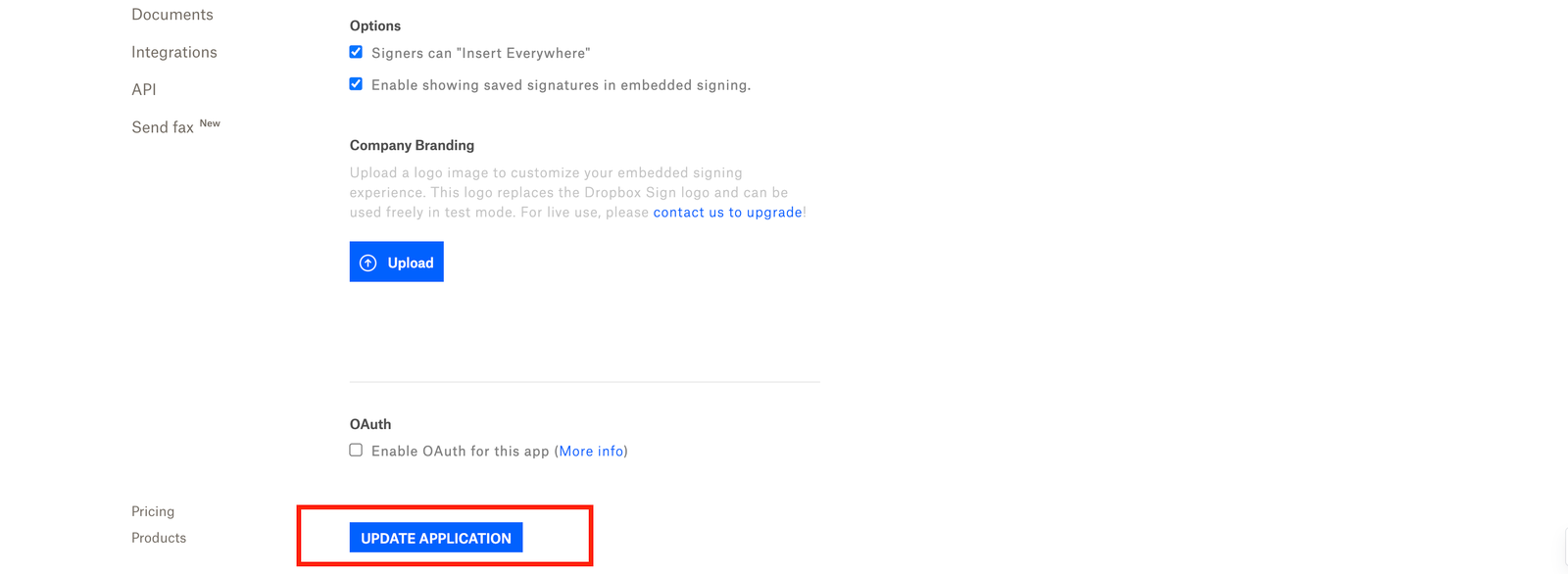 |
| 5. Confirm this option is enabled by selecting the API app's "**Details**" button and view "**Enabled**" under the "**Enable showing saved signatures in embedded signing.**" field. | 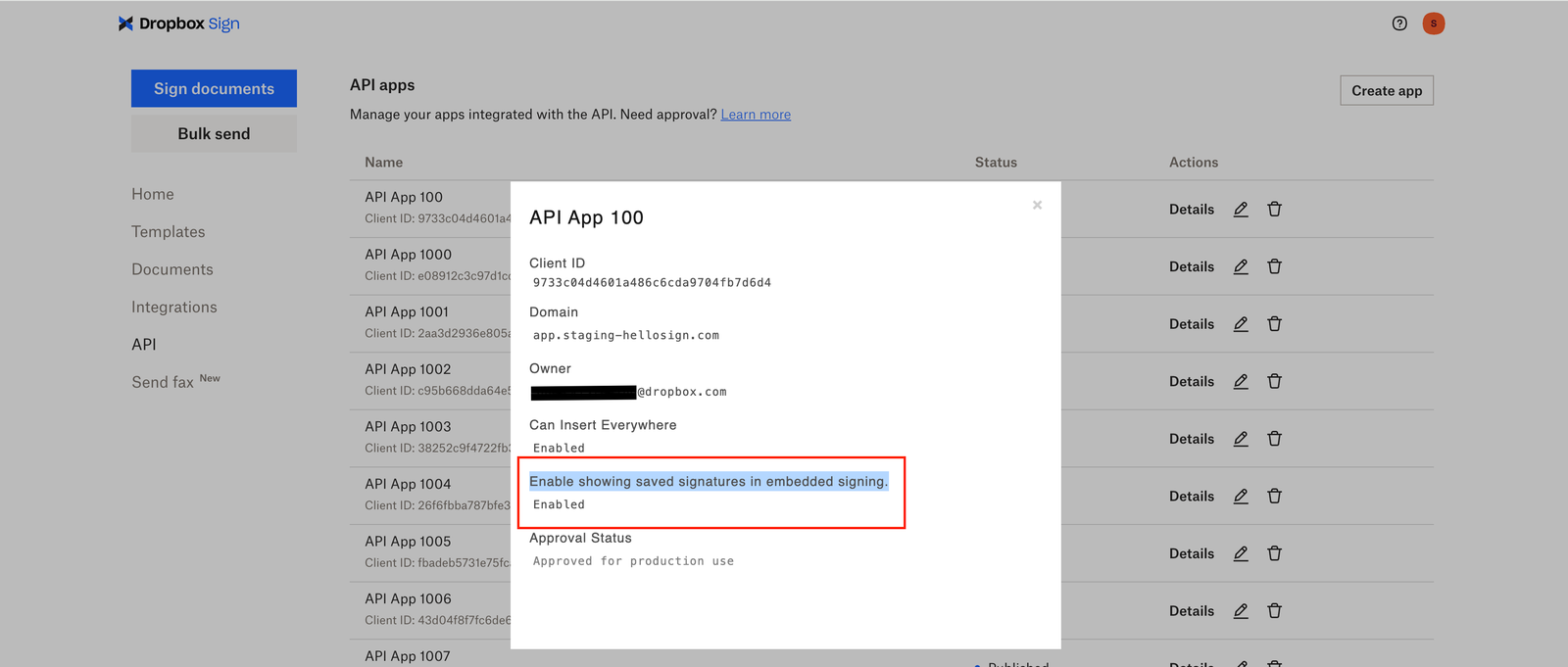 |
## FAQ
Please see: [The difference between Embedded and Non-embedded](https://faq.hellosign.com/hc/en-us/articles/216839377-The-difference-between-Embedded-and-Non-Embedded).
Please see: [How to create and save signatures](https://help.dropbox.com/create-upload/how-to-create-and-save-signatures).
No, currently we only support enabling this option through the API Settings page of your account.
Yes, it will remain published after being updated.
Yes, any API apps transferred to another team member when leaving a team will also transfer the saved signatures associated with that API app.
No, you'll need to generate new saved signatures for each separate API app.
Users on Free API plans are limited to 5 saved signatures.
No, not currently. Only API app owners can update this through their own API settings.